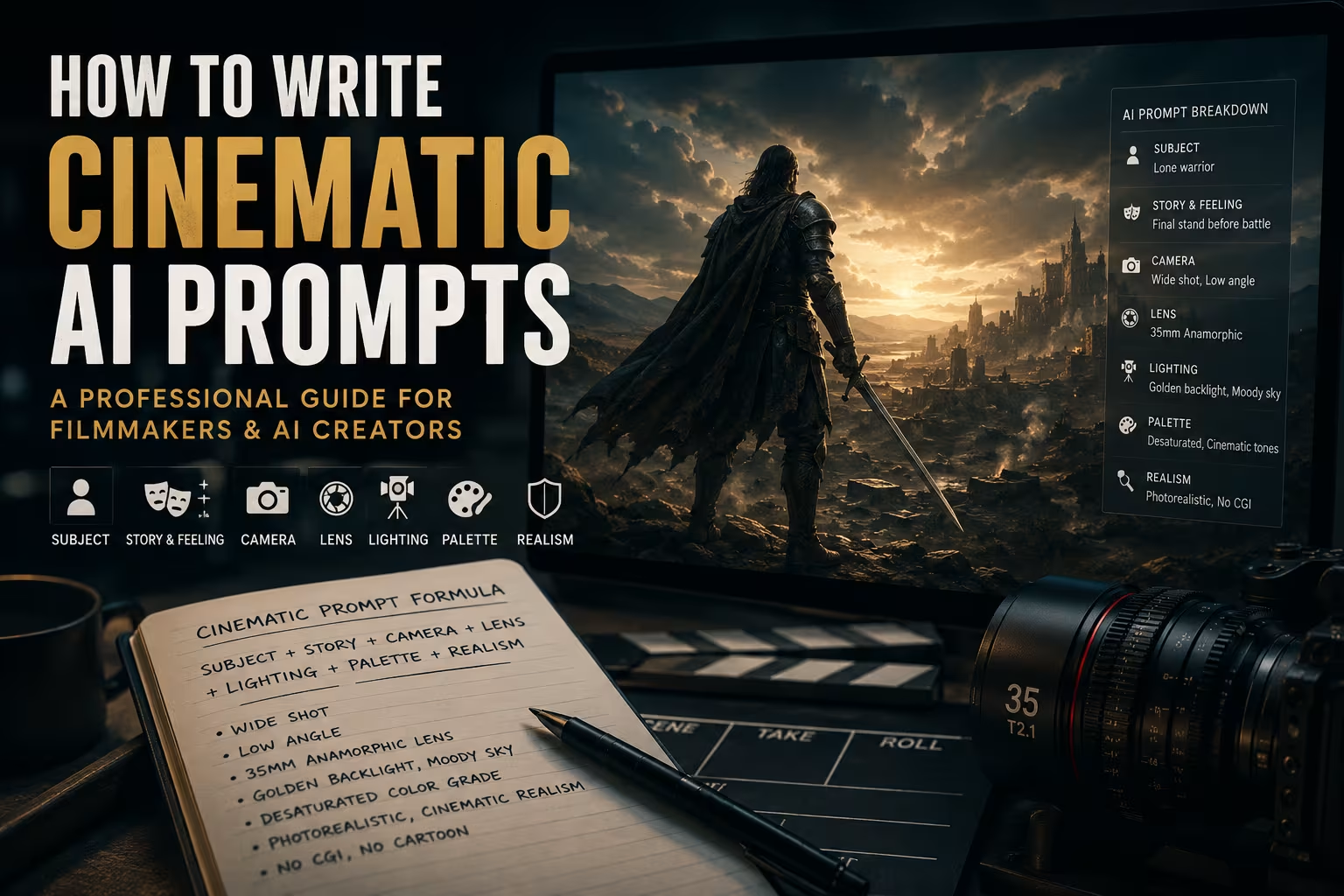
The story in brief
Learn how to write cinematic AI prompts using subject, story, camera angle, lens, lighting, color, realism, and negative constraints for images and video.
Inside this story
A practical workflow for filmmakers and AI creators
Table of contents
Cinematic AI prompting translates the language of cinema into instructions an AI model can understand. A strong prompt defines what appears in the frame, how the frame should feel and be photographed, which lens shapes the image, where the light comes from, and which visual qualities to avoid.
This is the difference between a generic AI image and a frame that feels directed. When a prompt uses filmmaking language with intention, the result becomes more than a picture. It becomes a visual decision: a shot with mood, perspective, lighting logic, emotional weight, and cinematic purpose.
Filmmakers, AI artists, storyboard designers, content creators, and visual directors can use this method to communicate visual ideas clearly. It applies to storyboards, mood boards, fantasy sequences, product films, and concept art for larger productions.
What is a cinematic AI prompt?
A cinematic AI prompt is a structured text instruction designed to guide an AI model toward a film-like image or video frame. It borrows the same vocabulary used by directors, cinematographers, photographers, production designers, and colorists: shot size, camera angle, lens choice, lighting setup, color palette, atmosphere, realism, and visual style.
A basic prompt describes content. A cinematic prompt directs the image.
For example, a simple prompt might say:
A warrior standing in a dark forest.
A cinematic version would be much more specific:
Low-angle wide shot of a wounded warrior standing alone in a rain-soaked forest at dawn, 35mm anamorphic lens, cold blue mist, warm sunrise rim light behind the trees, desaturated earth-tone color grade, realistic armor scratches, natural film grain, grounded cinematic realism, no cartoon, no plastic CGI look, 16:9.
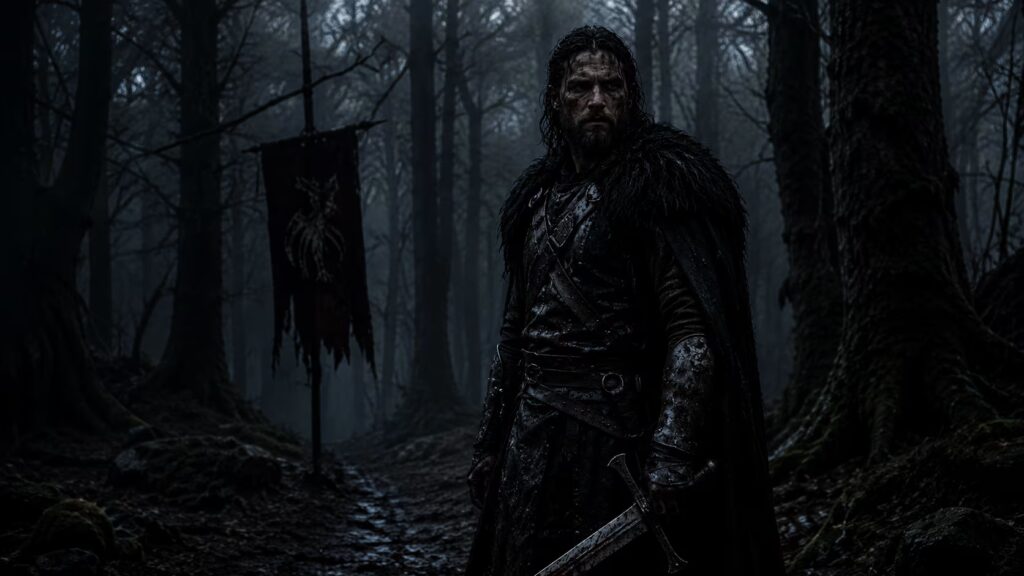
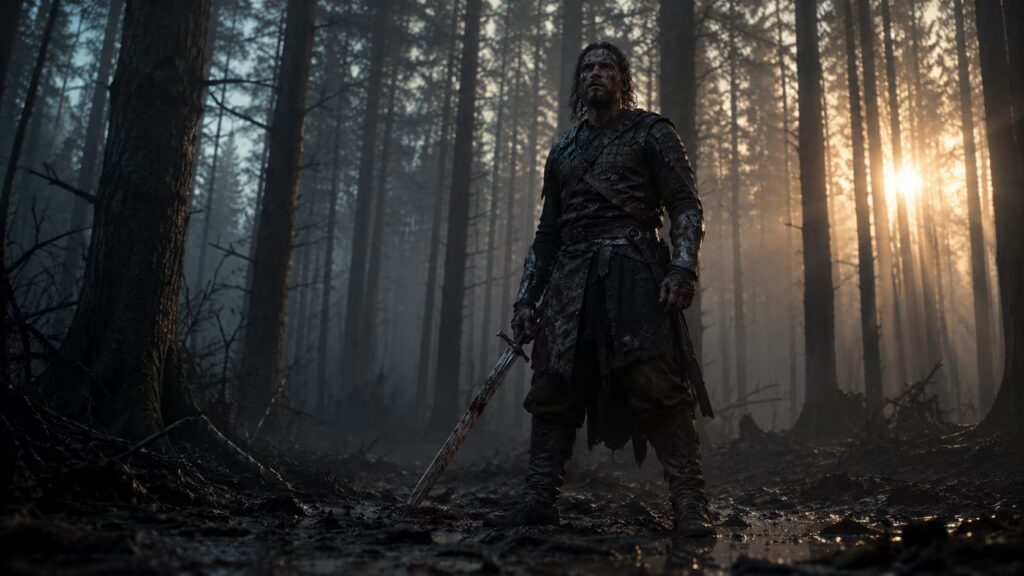
The second prompt gives the AI a complete visual plan. It defines the subject, emotional tone, camera position, lens behavior, lighting direction, color language, realism level, and aspect ratio. This is why cinematic prompting is closer to directing than simply describing.
Why cinematic prompts matter
AI models are powerful, but they often default to generic compositions when the prompt is vague. If you do not define the camera, the model may choose a flat eye-level medium shot. If you do not define lighting, it may create a glossy or overlit image. If you do not define realism, the result may look like plastic, CGI, or digital concept art instead of a frame from a film.
Professional prompting gives you control. It helps you shape the viewer’s emotional response, maintain visual consistency across a sequence, and communicate your creative intention clearly. This is especially important when using AI for previsualization, storyboards, pitch decks, mood boards, product visuals, or cinematic content for social media.
A cinematic prompt should answer seven key questions:
| Question | Why It Matters |
|---|---|
| Who or what is the subject? | Defines the main focus of the frame. |
| What should the audience feel? | Gives the image emotional direction. |
| Where is the camera? | Controls power, distance, scale, and intimacy. |
| What lens shapes the image? | Controls perspective, compression, distortion, and depth. |
| What is the lighting logic? | Creates mood, realism, and visual depth. |
| What color palette controls the world? | Defines genre, tone, and emotional temperature. |
| What should the AI avoid? | Reduces plastic, generic, or unrealistic results. |
Once these questions are answered, the prompt becomes a visual blueprint.
The anatomy of a cinematic AI prompt
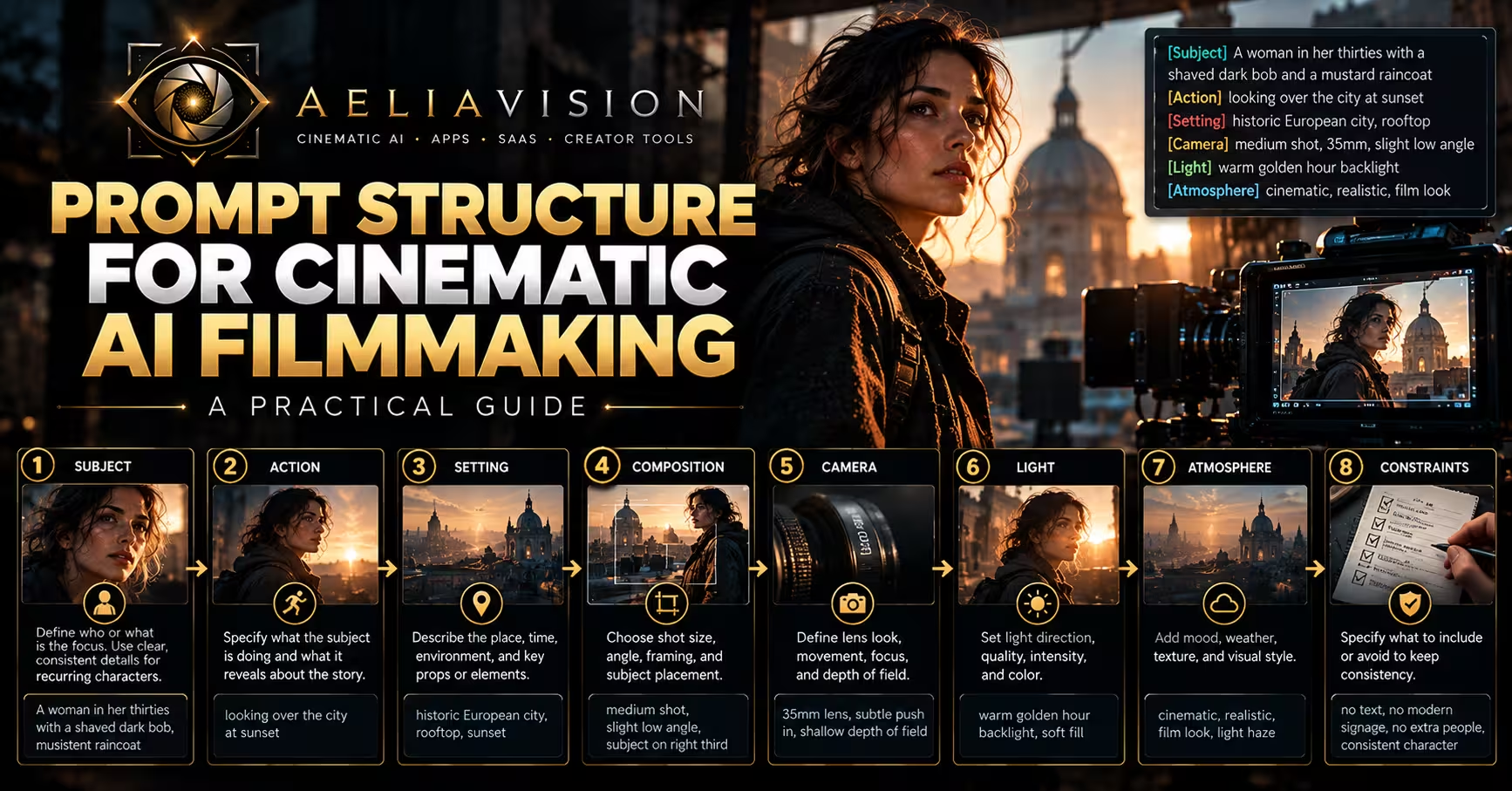
A professional cinematic prompt is built in layers. These layers do not need to be complicated, but they should be intentional. The most reliable structure is:
Subject + Story Feeling + Environment + Camera + Lens + Lighting + Color Palette + Realism Constraints + Aspect Ratio
This formula works because each part controls a different area of the image. The subject tells the AI what to show. The story feeling tells it why the image matters. The camera and lens tell it how the scene is photographed. The lighting and palette define mood. The realism constraints protect the result from unwanted artificiality.
Start with the subject
The subject is the main focus of the shot. It can be a character, object, creature, vehicle, product, building, landscape, or entire environment. The more clearly you define the subject, the easier it is for the AI to build the frame around it.
A weak subject description might be:
A man in a city.
A stronger version would be:
A tired detective in his late 40s, wearing a rain-soaked trench coat, standing alone under a broken neon sign in a narrow alley.
The stronger version gives the AI identity, costume, condition, environment, and implied story. It also gives the frame a cinematic direction before any camera or lighting terms are added.
When writing the subject, avoid being too vague. Words like “person,” “scene,” or “object” rarely give the model enough visual information. At the same time, avoid overloading the subject with unnecessary details. A good subject description is specific, visual, and easy to imagine.
Add the story feeling
Cinema is not only about what appears in the frame. It is about what the audience feels when they see it. This is why story feeling is one of the most important parts of a cinematic prompt.
Instead of writing only what is visible, describe the emotional moment behind the image. Is this a heroic reveal, a quiet farewell, a tense confrontation, a moment of betrayal, or a final stand before defeat?
For example:
A queen standing in an empty throne room.
This is clear, but emotionally flat. A more cinematic version would be:
A defeated queen standing alone in an empty throne room after losing her kingdom, holding a cracked crown in silence.
Now the AI has emotional context. The pose, lighting, expression, and atmosphere can all support the feeling of loss.
Useful story feelings for cinematic prompts
| Story Feeling | Best Visual Use |
|---|---|
| Heroic reveal | Low angles, rim light, strong silhouette, wide framing. |
| Quiet grief | Close-up, soft light, muted palette, shallow depth of field. |
| Suspense | Negative space, hard shadows, cold light, restrained composition. |
| Betrayal | Off-center framing, dim interiors, tense body language. |
| Wonder | Wide shot, volumetric light, rich scale, open composition. |
| Horror | Chiaroscuro, darkness, distorted angles, limited visibility. |
| Romance | Warm soft light, gentle contrast, intimate framing. |
| Isolation | High angle, wide negative space, desaturated color. |
The story feeling should always match the technical choices. A scene described as “hopeful” should not be lit like a horror frame unless the contrast is intentional. A “lonely” scene often needs space around the subject. A “powerful” subject often benefits from a low-angle camera and strong backlight.
Define the camera
The camera is where cinematic prompting truly begins. If you leave camera placement to the AI, you often get a predictable shot. When you define the camera, you control how the viewer relates to the subject.
Shot size determines distance. Camera angle determines power. Movement determines energy. Together, they tell the AI how the image should be staged.
Common shot sizes
| Shot Size | What It Shows | Best Used For |
|---|---|---|
| Extreme Wide Shot | A huge environment with the subject very small. | Scale, isolation, world-building. |
| Wide Shot | Full body and surrounding environment. | Action, geography, character placement. |
| Medium Shot | Subject from waist or chest up. | Dialogue, character interaction, balanced storytelling. |
| Close-Up | Face, shoulders, or important detail. | Emotion, intimacy, dramatic reaction. |
| Extreme Close-Up | One specific detail, such as an eye, hand, wound, or object. | Tension, symbolism, reveals. |
A wide shot tells the audience where they are. A close-up tells them what to feel. An extreme close-up tells them what matters.
Common camera angles
| Camera Angle | Emotional Effect |
|---|---|
| Low Angle | Makes the subject feel powerful, heroic, threatening, or larger than life. |
| High Angle | Makes the subject feel vulnerable, small, watched, or overwhelmed. |
| Dutch Angle | Creates unease, danger, psychological tension, or chaos. |
| Over-the-Shoulder | Builds intimacy, conflict, and spatial relationship in dialogue. |
| Bird’s-Eye View | Shows geography, strategy, isolation, or scale. |
| Eye-Level | Feels neutral, grounded, human, and observational. |
For example, “a king sitting on a throne” is a subject. “Low-angle wide shot of a king sitting in shadow on a massive throne” is direction. The camera changes the power relationship instantly.
Choose the lens
Lens choice gives the image its optical personality. It controls perspective, compression, distortion, depth of field, and emotional distance. In AI prompting, lens terms help the model understand how the scene should feel photographically.
A wide lens makes the world feel larger and more immersive. A telephoto lens compresses space and isolates the subject. An anamorphic lens suggests a widescreen cinematic frame with oval bokeh and horizontal flare. Each choice changes the emotional effect.
Lens guide for cinematic prompts
| Lens | Visual Effect | Best Used For |
|---|---|---|
| 14mm,24mm ultra-wide | Expands space, exaggerates scale, may distort edges. | Epic environments, architecture, action, fantasy worlds. |
| 35mm | Natural but cinematic perspective. | Character scenes, street realism, grounded drama. |
| 50mm | Balanced human perspective with minimal distortion. | Portraits, natural drama, emotional realism. |
| 85mm | Compresses background, flatters faces, isolates subject. | Close-ups, emotional portraits, beauty shots. |
| 100mm macro | Captures tiny details with strong focus control. | Eyes, objects, textures, symbolic inserts. |
| Anamorphic lens | Widescreen feel, oval bokeh, horizontal flares. | Epic cinema, sci-fi, action, luxury visuals. |
A prompt that says “close-up portrait” may work. But “85mm close-up portrait with shallow depth of field and compressed background lights” gives the AI a more precise photographic target.
Use lighting like a cinematographer
Lighting is one of the biggest differences between a normal AI image and a cinematic frame. Good lighting gives the image depth, mood, realism, and emotional direction.
Avoid vague phrases like “dramatic lighting” when possible. Instead, describe the source, direction, quality, and color of the light.
A weak lighting instruction would be:
Moody lighting.
A stronger version would be:
Single warm tungsten key light from the left, cool blue moonlight rim light from behind, deep shadows across the face, subtle haze in the air.
This tells the AI how the shot is lit as well as how it should feel.
Lighting terms that improve cinematic prompts
| Lighting Term | Meaning | Best Used For |
|---|---|---|
| Soft light | Diffused light with gentle shadows. | Beauty, romance, emotional drama. |
| Hard light | Direct light with sharp shadows. | Thriller, noir, action, horror. |
| Rim light | Backlight outlining the subject. | Hero shots, separation, silhouettes. |
| Volumetric light | Visible beams through fog, dust, or haze. | Fantasy, mystery, scale, atmosphere. |
| Rembrandt lighting | Angled key light creating a triangle of light on the cheek. | Portraits, drama, classical cinematic faces. |
| Chiaroscuro | Strong contrast between light and shadow. | Noir, horror, mystery, psychological drama. |
| Practical light | Light motivated by visible sources like lamps, candles, screens, or neon signs. | Realistic interiors and grounded scenes. |
Lighting should be motivated. If the scene is in a medieval castle, the light may come from torches, candles, moonlight, or fire. If the scene is in a cyberpunk alley, it may come from neon signage, wet street reflections, vending machines, or police lights. Motivated lighting makes the image feel physically believable.
Control the color palette
Color grading is emotional storytelling. It defines whether a scene feels warm, cold, nostalgic, dangerous, romantic, clinical, ancient, futuristic, or surreal.
A cinematic prompt should include color language when mood and consistency matter. This is especially important for multi-shot sequences, brand visuals, storyboards, and film concept art.
Common cinematic palettes
| Palette | Emotional Effect |
|---|---|
| Teal and orange | Modern blockbuster contrast, warm skin against cool shadows. |
| Muted earth tones | Historical drama, realism, war, survival, grounded worlds. |
| Blue-green palette | Isolation, sci-fi, tension, cold environments. |
| Gold and crimson | Royalty, myth, luxury, power, sacred atmosphere. |
| Black and red | Horror, danger, ritual, violence, obsession. |
| Pastel palette | Dreamlike, romantic, stylized, nostalgic. |
| Desaturated gray-brown | Serious drama, realism, post-war mood, exhaustion. |
| Monochrome black-and-white | Noir, memory, abstraction, historical mood. |
Film stock references can also be useful. “Kodak Portra 400” suggests warm natural skin tones and fine grain. “Cinestill 800T” suggests tungsten-balanced night photography with neon halation. “Kodak Tri-X” suggests gritty black-and-white contrast. These references can help the AI understand both texture and era.
Add realism constraints
AI models often create images that are too smooth, too glossy, too polished, or too obviously digital. Realism constraints help prevent this.
Use realism terms when you want the frame to feel photographed rather than rendered. Useful phrases include “photorealistic cinematic still,” “natural skin texture,” “real fabric detail,” “practical lighting,” “physically believable shadows,” “subtle film grain,” “real camera depth of field,” and “grounded production design.”
Negative constraints are just as important. They tell the AI what to avoid.
Useful negative constraints
| Problem | Negative Prompt Terms |
|---|---|
| Plastic skin | no plastic skin, no airbrushed face, no over-smoothed skin |
| CGI look | no CGI, no 3D render, no video game look |
| Bad text | no random text, no watermark, no lettering |
| Unrealistic anatomy | no distorted hands, no extra fingers, no deformed face |
| Fake fantasy glow | no neon glow, no magical glow unless specified |
| Overdesigned image | no clutter, no excessive details, no messy composition |
| Toy-like surfaces | no glossy plastic, no fake materials |
The goal is not to remove style. The goal is to make the style feel intentional and physically believable.
Use style references carefully
Style references can be powerful, but they should be used with discipline. A genre reference such as “film noir,” “neo-western,” “cyberpunk,” “gothic horror,” or “historical epic” can quickly guide the AI toward a visual world. But mixing too many styles can confuse the output.
For example, a prompt that combines cyberpunk, medieval fantasy, documentary realism, anime, Wes Anderson symmetry, and horror lighting may produce a visually confused result. A better approach is to choose one dominant style and support it with camera, lighting, and palette.
Instead of writing:
Cyberpunk fantasy noir anime western horror style.
Write:
Neo-noir cyberpunk alley, rain-soaked pavement, cyan and magenta neon reflections, hard side lighting, 35mm lens, grounded cinematic realism.
This gives the AI a clear visual hierarchy.
A complete cinematic prompt formula
A reliable professional structure is:
Shot size + subject + story feeling + environment + camera angle + lens + lighting + color palette + realism constraints + aspect ratio.
Here is a complete example:
Wide low-angle shot of a lone warrior standing at the edge of a ruined kingdom, a final moment before battle, storm clouds gathering behind him, 35mm anamorphic lens, warm firelight from the left and cold blue moonlight from the right, desaturated bronze and charcoal color palette, realistic armor scratches, natural film grain, cinematic photorealism, no cartoon, no CGI, 16:9.
This works because every element has a purpose. The shot size creates scale. The low angle gives power. The story feeling creates emotional stakes. The lens shapes the frame. The lighting builds contrast. The palette defines the tone. The realism constraints prevent the image from becoming artificial.
Before and after: turning a basic prompt into a cinematic prompt
Basic prompt
A futuristic city at night.
Cinematic prompt
Extreme wide establishing shot of a futuristic megacity at night, towering glass structures disappearing into low clouds, flying vehicles moving between buildings, 24mm wide-angle lens, high aerial camera position, cool cyan and magenta neon reflections on wet streets, volumetric haze, deep contrast, photorealistic cyberpunk atmosphere, no cartoon, no plastic CGI look, 16:9.
The basic version gives the AI a topic. The cinematic version gives it a shot.
Prompt examples by genre
Sci-Fi
Wide establishing shot of a lonely astronaut walking through a derelict spaceship corridor, tense silence, 24mm lens, handheld camera feel, flickering fluorescent ceiling lights, cold blue-green color grade, subtle fog, scratched metal surfaces, cinematic photorealism, no CGI look, 16:9.
Fantasy
Low-angle wide shot of an ancient stone gate opening in a mountain kingdom, sense of wonder and danger, 35mm anamorphic lens, golden sunrise breaking through mist, deep shadows inside the gate, muted gold and emerald palette, realistic stone texture, natural film grain, 2.39:1.
Horror
Extreme close-up of a terrified woman’s eye reflecting a dark figure in the hallway, psychological horror mood, 100mm macro lens, shallow depth of field, cold moonlight from a cracked window, heavy shadows, blue-gray palette, realistic skin texture, no monster fully visible, no cartoon, 16:9.
Action
Tracking shot of a motorcycle speeding through a rain-soaked city street at night, urgent chase energy, 35mm lens, low camera near the asphalt, neon reflections on wet pavement, motion blur, orange and teal color contrast, gritty cinematic realism, no plastic vehicles, 16:9.
Historical drama
Medium close-up of a tired queen holding a cracked crown in an empty throne room, quiet grief after defeat, 85mm portrait lens, soft candlelight from below, cold moonlight through tall windows, muted gold and blue-gray palette, realistic fabric texture, natural tears, fine film grain, 16:9.
Product film
Premium close-up hero shot of a luxury perfume bottle on black marble, elegant commercial mood, 85mm lens, shallow depth of field, softbox reflection across glass, warm gold rim light, deep black and champagne palette, realistic liquid refraction, clean studio composition, no text, no fake logo, 16:9.
Common mistakes in cinematic AI prompts
The most common mistake is relying on the word “cinematic” alone. While the word can help, it is too broad to control the image. A prompt still needs camera, lens, lighting, palette, and realism details.
Another common mistake is using too many conflicting styles. A prompt should not feel like a list of every movie you love. Choose a clear visual direction and build around it.
Technical contradictions are also a problem. For example, asking for an extreme wide shot with extreme shallow depth of field can feel physically unrealistic, especially with ultra-wide lenses. If you want a wide frame but also subject isolation, describe the composition carefully and accept that the result may look more stylized.
Many creators also forget aspect ratio. If you want a cinematic frame, specify 16:9, 2.39:1, or another intentional format. Otherwise, the AI may create a square or generic image.
Finally, do not ignore negative prompts. If the model keeps producing plastic skin, random text, fake armor, glowing objects, or extra fingers, add clear constraints to prevent those issues.
Cinematic prompt template
You can copy and reuse this template:
[Shot size] of [subject], [story feeling], [environment], [camera angle], [lens and focal length], [lighting source and direction], [color palette or film grade], [realism details], [negative constraints], [aspect ratio].
Example:
Close-up of an exhausted detective standing under a broken neon sign, quiet moment after discovering the truth, narrow rain-soaked alley, slight low angle, 85mm lens, shallow depth of field, cyan neon from above and warm streetlight from the side, muted blue-orange palette, realistic wet fabric texture, natural skin pores, subtle film grain, no plastic skin, no random text, no CGI, 16:9.
Build prompts like shot plans
Writing cinematic AI prompts is not about making prompts longer. It is about making them more intentional. A professional prompt works like a miniature director’s brief. It defines the subject, emotion, camera, lens, lighting, color, realism, and boundaries of the image.
The best prompts feel clear, visual, and purposeful. They do not overload the AI with random adjectives. They guide it with cinematic logic.
When you understand how camera placement changes power, how lens choice changes perspective, how lighting creates emotion, and how color shapes atmosphere, your AI prompts stop producing generic images. They begin producing frames that feel designed, photographed, and directed.
That is the real art of cinematic AI prompting.
Continue reading
Further insights from the Journal
Have a story in mind?
Bring your next project into focus.
Tell us what you are creating and what you want the audience to feel.