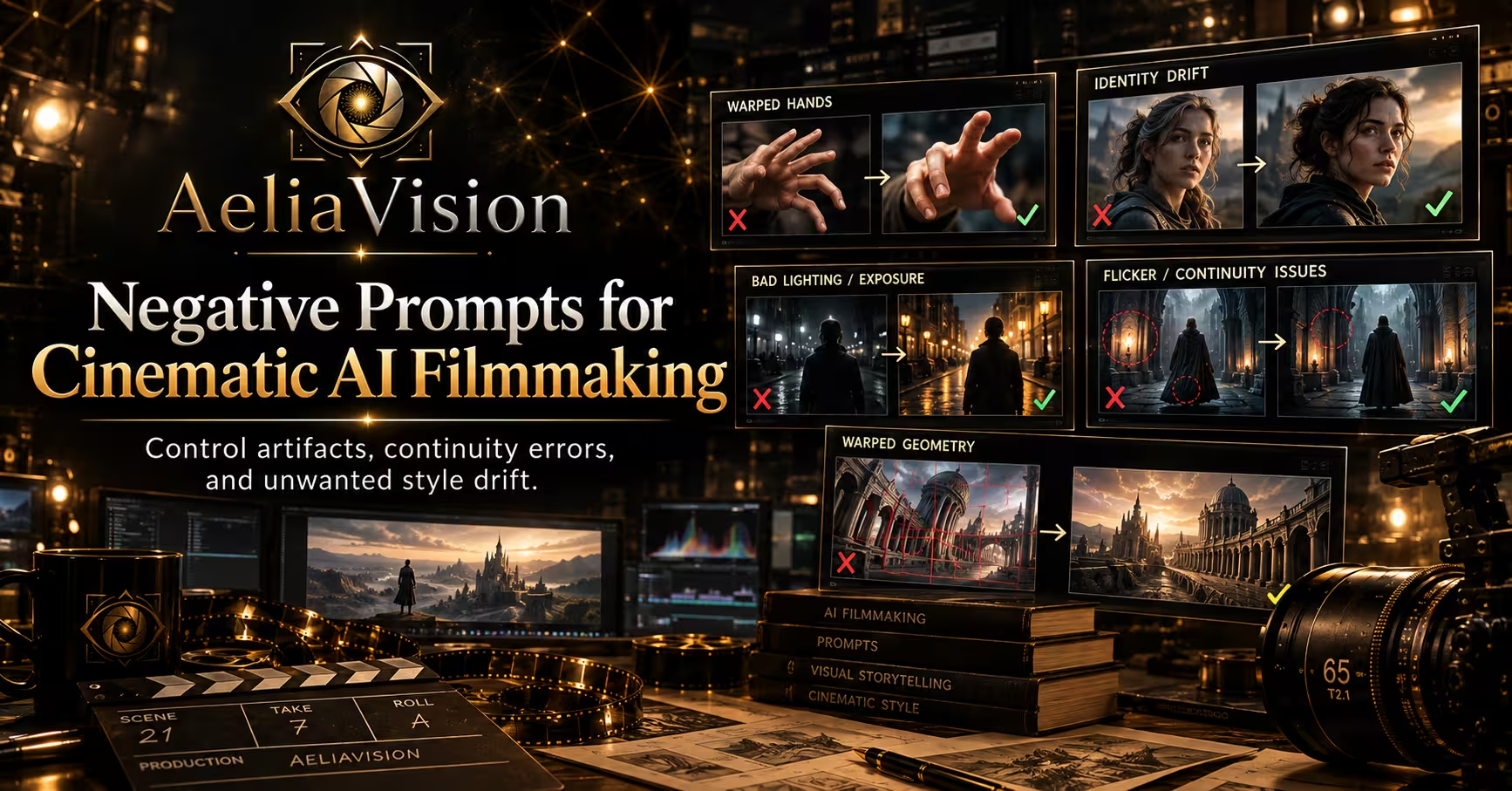
The story in brief
A practical guide to using negative prompts without overloading an AI image or video request.
Inside this story
A negative prompt is a list of visual and technical conditions you do not want an image or video model to introduce. It can keep a face from gaining extra eyes, stop a night scene from turning into a bright studio setup, or prevent a period drama from filling with modern plastic objects. Used well, it protects a creative decision. Used carelessly, it becomes a junk drawer of warnings that fights the positive prompt and makes the result muddy.
For cinematic AI filmmaking, negative prompting is less about saying “make this good” and more about defining the edges of the shot. The positive prompt describes what the camera should see. The negative prompt removes the shortcuts, artifacts, genre defaults, and continuity errors that pull the image away from that intent.
This guide explains how to build negative prompts that work across still images, storyboards, keyframes, and AI video generations. The advice applies whether you are creating a single establishing frame or a sequence of shots that must feel as though they belong to the same film.
What a negative prompt actually does
Most image and video models do not understand a negative prompt as a human cinematographer would. They do not construct a clean mental checklist, then inspect every frame against it. Instead, the text influences the model’s sampling process. The exact behavior depends on the model, interface, weighting system, and whether you are generating an image or a moving clip.
That makes negative prompts useful but imperfect. They are not a guarantee. Writing “no extra fingers” does not prove that hands will be correct. Writing “no camera movement” may still produce a slight digital push. A negative prompt shifts probabilities. It does not replace a strong subject description, a useful reference image, good framing, or post-production cleanup.
Think of the prompt as two layers:
1. The positive prompt establishes the shot’s subject, action, camera, lighting, production design, and mood. 2. The negative prompt prevents common failure modes that would undermine those choices.
A weak positive prompt with a huge negative list usually produces a cautious, generic result. A precise positive prompt with a short, targeted negative list gives the model a clearer job.
Negative prompting also changes during a project. The problems you need to suppress in a location scout frame are not the same problems you need to suppress in a dialogue close-up. A wide shot may need protection from warped architecture and duplicated extras. A close-up may need protection from plastic skin, asymmetrical eyes, and unstable hair. A night exterior may need protection from daylight exposure and warm orange lighting.
Start with the shot’s creative risk
Before writing a negative prompt, ask what would ruin this particular shot. The answer is usually more useful than a standard list copied from another workflow.
For a lonely character standing in a foggy train station, the biggest risks might be a cheerful color grade, a crowded platform, a clean digital look, and a face that changes between frames. For a fast chase through a narrow market, the risks might be frozen action, disconnected limbs, unreadable signage, and a camera that feels locked off. For a restrained portrait, the risks might be glamour retouching, exaggerated expressions, and a shallow depth of field that erases the location.
Write down three to seven risks before adding any prompt language. Rank them. If the model has limited attention to negative terms, the first part of the list should contain the failures that matter most.
A practical risk inventory has five categories:
– Anatomy and identity: extra limbs, distorted hands, mismatched eyes, changing age, inconsistent hair, altered facial identity. – Camera and motion: unwanted zoom, rolling shutter, jitter, excessive shake, impossible perspective, focus hunting. – Lighting and color: overexposure, crushed blacks, daylight contamination, neon color casts, flat illumination, plastic highlights. – Production design: modern objects in a historical setting, duplicate props, warped architecture, illegible signs, random logos. – Image quality and style: low resolution, banding, oversharpening, artificial skin, cartoon rendering, watermark, text artifacts.
Do not include every category by default. A studio product shot and a handheld documentary shot have opposite camera requirements. A fantasy creature may need anatomy constraints, but a deliberately surreal transformation should not be blocked by the same list.
The anatomy and identity layer
Human anatomy errors are among the most familiar uses of negative prompts. They remain common because hands, teeth, ears, and partially hidden limbs are difficult to model consistently, especially in motion.
Useful terms include “extra fingers,” “missing fingers,” “fused fingers,” “deformed hands,” “extra limbs,” “duplicated person,” “asymmetrical eyes,” “crossed eyes,” “warped teeth,” and “distorted facial features.” These phrases are more useful when they match the shot. If hands are outside the frame, a long hand-specific list adds noise without solving anything.
Identity requires a different approach. “Different face” or “identity drift” can help in video tools that respond to such concepts, but identity consistency is primarily a positive-prompt and reference problem. State the character’s stable traits in the positive prompt: age range, face shape, hair, distinctive mark, wardrobe, and emotional state. Use the negative prompt to reject changes such as “different person,” “age shift,” “changing hairstyle,” and “inconsistent wardrobe.”
For a recurring character, keep a project-level identity block separate from the shot-level negative prompt. That lets you reuse the same identity constraints while changing the camera and action. Do not rewrite the character’s entire biography in every negative prompt. Repetition can dilute the important restrictions and make versioning harder.
Hands in cinematic shots
Hands deserve special treatment because the model may notice them even when they occupy a small part of the frame. A hand holding a phone, steering wheel, weapon, letter, or cup is a high-risk object interaction. Use positive language to describe the grip and the visible number of hands. Then add targeted constraints such as “anatomically correct hands,” “five fingers per hand,” “natural grip,” and “no fused fingers.”
If the hand is intentionally obscured, say so positively: “hands partly hidden by the coat sleeve” or “the actor’s hands remain below the frame.” That is often stronger than asking the model not to produce an error. Direct the camera away from a difficult detail when the detail does not serve the story.
Protecting cinematography without flattening it
Many negative prompts accidentally remove the very qualities that make a shot cinematic. Terms such as “no blur,” “no grain,” “no shadows,” and “no distortion” sound safe, but they can erase motion, atmosphere, texture, and lens character.
Use precise alternatives. If you want a moving subject to remain readable, ask for “controlled motion blur” rather than “no motion blur.” If you want detail in a dark scene, ask for “shadow detail preserved” rather than “no shadows.” If you want a clean modern image, reject “heavy digital artifacts” and “oversharpening” rather than rejecting all texture.
Camera negatives should describe unwanted behavior, not desirable style. For a locked tripod shot, use “no camera shake, no handheld movement, no unmotivated zoom, no focus hunting.” For a handheld shot, remove those terms and use “no robotic stabilization, no impossible floating camera, no violent shake.” The same film can need both lists in adjacent shots.
The phrase “cinematic” is too broad to do much work by itself. It may produce teal and orange color grading, shallow depth of field, lens flares, or generic movie-poster lighting. If those defaults are wrong for the scene, reject them directly: “no teal and orange grading, no excessive lens flare, no poster composition, no glossy commercial lighting.”
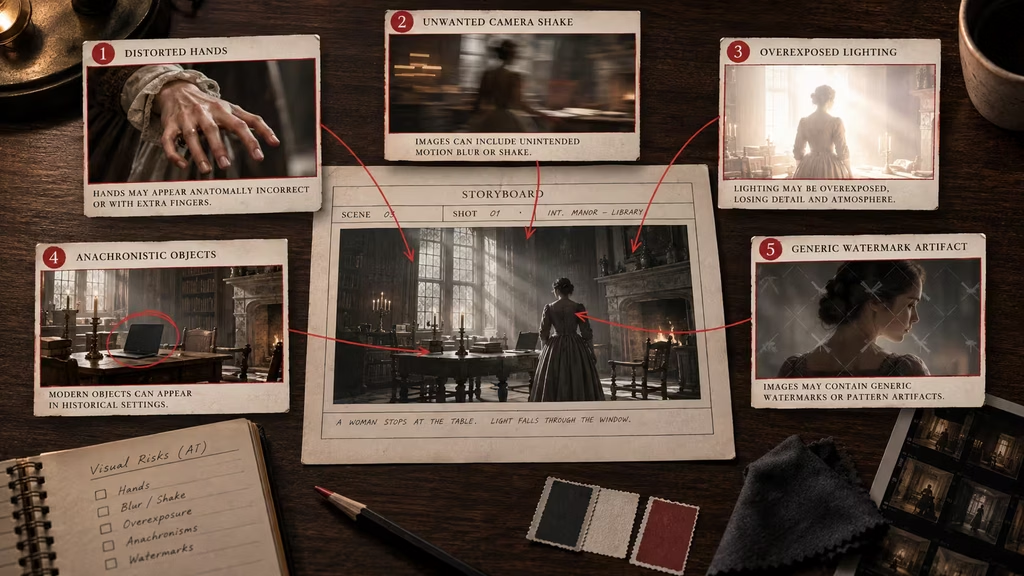
A clean overhead view of a filmmaker’s desk with a storyboard frame in the center and five handwritten risk categories arranged around it. Small visual callouts show warped hands, camera jitter, overexposure, a modern object in a period room, and a watermark. The palette is charcoal, muted cream, and restrained red annotations, with a practical pre-production mood.
Negative prompts for lighting and exposure
Lighting failures are often more damaging than small anatomy errors because they change the scene’s time, mood, and geography. A tense night interior that arrives as a bright, evenly lit room is no longer the same scene.
Start by describing the intended light in the positive prompt. Specify source, direction, quality, color, and exposure. For example: “single sodium-vapor streetlamp from frame left, deep blue ambient night, faces readable but shadows retained, low-key exposure.” Then reject the most likely substitutions: “no daylight, no frontal flash, no flat studio lighting, no blown highlights, no crushed blacks, no random colored lights.”
Be careful with “underexposed.” Some models interpret it as a completely black image. If the goal is a dark mood with usable detail, write “not excessively dark, faces and essential props remain visible, retain detail in shadow areas.” The positive instruction about readable faces should come first in the main prompt.
Color problems need context. “No color” might turn a muted scene into a black-and-white image. If you want subdued color, use “no oversaturated colors, no candy-colored palette, no strong teal and orange grade.” If you want monochrome, do not include a generic color ban that could fight the desired treatment.
Lens artifacts are another area where specificity matters. Reject “excessive lens flare, giant sun flare, dirty lens, chromatic aberration, light leaks” only when these are not part of the shot. A period road movie may benefit from flare. A controlled close-up may not.
Production design and period accuracy
AI models pull objects from broad visual associations. Ask for a 1970s apartment and you may receive a modern flat-screen television, contemporary light switches, wireless earbuds, or a logo that did not exist in the period. A negative prompt can help, but a positive prop list and reference images are usually more reliable.
State the date, place, material culture, and level of wear in the positive prompt. Then target the obvious intrusions: “no modern smartphones, no LED strips, no contemporary cars, no plastic water bottles, no visible brand logos, no futuristic interfaces.” For a historical setting, add “no anachronistic objects” and name the era if the model handles dates well.
Do not ask for “no text” when the scene needs a shop sign, newspaper, or dashboard display. Models often produce gibberish text, so the better choice may be “no illegible text, no random letters, no fake logos, signage kept small and out of focus.” If the sign matters to the story, generate it separately or add the correct lettering in post.
Architecture benefits from concrete constraints: “no warped straight lines, no impossible doors, no floating windows, no duplicated columns, no melted furniture, no extra staircases.” In wide shots, check the edges of the frame. Models often spend less effort there, which is where railings, cars, hands, and background people begin to deform.
Keeping people and props from multiplying
Duplication is a classic AI failure. One background extra becomes two. A row of chairs develops repeated legs. A character’s bag appears in two positions. In a still frame, “no duplicate people, no cloned faces, no repeated props” can reduce the problem. In video, you also need continuity language: “stable number of background figures, each person remains distinct, props do not duplicate or disappear.”
Crowd scenes require a balance. If you write “no extra people,” the model may empty the location. Use “no duplicated people, no cloned faces, no crowd blocking the main subject” instead. Describe the crowd’s role, density, and movement positively.
For a hero prop, repeat its identifying features in the positive prompt and reject variations in the negative prompt. Example: “the same scratched green suitcase with a brass latch remains in the character’s left hand; no duplicate suitcase, no color change, no missing latch, no new bags.” This is verbose, but a continuity-critical prop earns the extra attention.
Video-specific negative prompting
Video adds problems that do not appear in a single image. A frame can look excellent while the clip flickers, morphs, or loses the subject during motion. Your negative prompt should address time, not just appearance.
Common video terms include “no flicker, no frame-to-frame morphing, no temporal jitter, no sudden identity change, no melting objects, no rubbery motion, no teleporting, no disappearing props, no background warping, no strobing exposure, no unnatural limb motion.” Use only the failures relevant to the shot. A long list of every possible artifact can make the model overcorrect and produce a frozen clip.
Motion needs positive direction. “No movement” is rarely what you want. If the actor walks slowly toward camera, say so. If the camera pans left, define the speed and endpoint. Then reject conflicts: “no reverse camera movement, no sudden zoom, no speed ramp, no subject leaving frame.” The model handles a described action better than a collection of prohibitions.
Continuity terms are useful when the tool supports them: “consistent face, consistent costume, consistent lighting, stable background geometry, continuous hand position.” These are broad concepts, so they work best alongside a reference frame, character image, or seed workflow.
Avoid describing compression or rendering defects as if they were physical objects. “No glitching” is broad. “No block compression, no shimmering edges, no crawling textures, no frame interpolation artifacts” gives the model and the post-production team a more useful target.
Negative prompts for shot types
A reusable library is helpful, but it should be organized by shot type rather than kept as one universal paragraph.
Establishing wides
Wides are vulnerable to architecture, horizon, and background errors. A useful starting block is: “no warped architecture, no bent horizon, no impossible perspective, no duplicated buildings, no floating objects, no oversized foreground figures, no random signage, no watermark.” Add “no shallow depth of field” if the environment must read clearly. Do not use that term if the wide is meant to isolate a figure with a long lens.
Medium dialogue shots
For dialogue, protect faces, eyelines, hands, and continuity: “no changing identity, no mismatched eyeline, no talking mouth distortion, no frozen expression, no duplicated hands, no wardrobe change, no distracting background movement.” If the camera is locked, add the camera restrictions. If the scene is handheld, reject robotic motion instead.
Close-ups
Close-ups expose skin and facial artifacts. Try: “no plastic skin, no beauty retouching, no asymmetrical eyes, no warped teeth, no unnatural smile, no face smoothing, no changing facial proportions, no blown skin highlights.” Avoid “no pores” if you want a polished beauty shot, and avoid “no wrinkles” unless age is a deliberate requirement.
Action shots
Action needs room for movement. A useful block might include: “no frozen pose, no tangled limbs, no impossible body mechanics, no duplicated weapons, no accidental slow motion, no subject clipping through objects, no camera teleporting, no unreadable motion blur.” Replace “no motion blur” with a controlled blur instruction when speed is part of the shot.
Product or insert shots
Small objects often warp under close inspection. Use: “no extra product parts, no melted edges, no warped label, no fake logo, no floating object, no harsh reflections obscuring the surface, no fingerprints unless intentional.” Product work needs strong lighting and camera positives because a negative prompt cannot invent accurate packaging geometry.
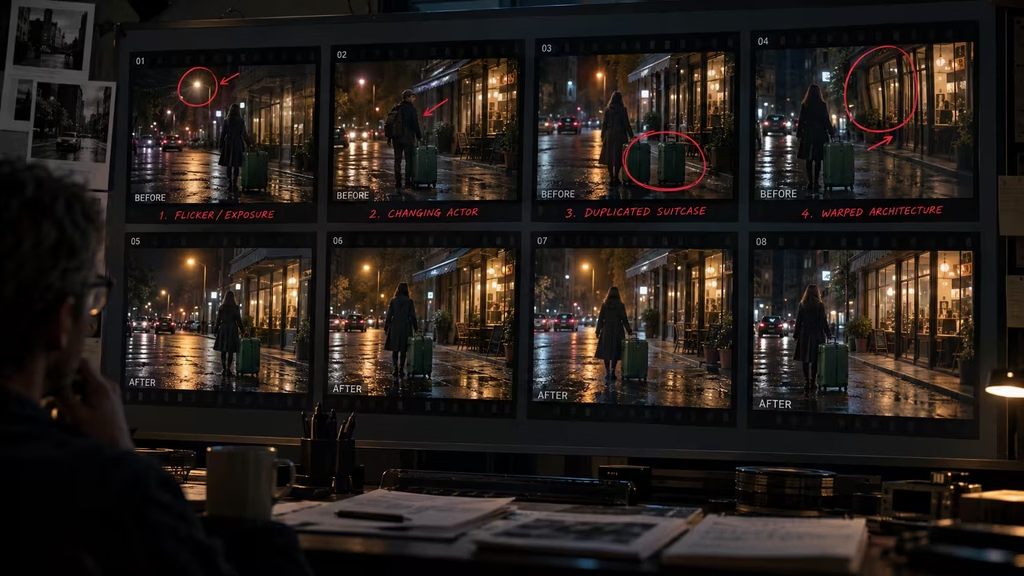
A horizontal filmstrip shows four pairs of frames from the same night street scene. The left side of each pair contains a visible failure such as a changing face, duplicate suitcase, flickering light, or bending storefront. The right side shows the corrected continuity. Frame numbers and subtle red correction marks make it feel like an editor’s review board.
Weights, syntax, and model differences
Different tools interpret negative prompts differently. Some have a dedicated negative field. Others expect a phrase after a label such as “avoid” or “without.” Some video systems barely respond to negative language and depend more on positive descriptions, reference frames, camera controls, and motion settings.
If the interface supports weights, use them sparingly. A weighted phrase can raise priority, but extreme weights often create new artifacts. Start with ordinary language, then test one change at a time. Save the seed, model, sampler, aspect ratio, guidance setting, and negative prompt for every useful result.
Comma-separated phrases are common because many interfaces were trained around tag-like prompts. Full sentences can work better in systems designed for natural language. Follow the model’s documented format when it provides one. Do not assume a prompt style that works for one checkpoint will transfer to another.
There is also a semantic trap in negative wording. The model may still attend to the noun you mention. For example, “no red hat” can sometimes increase the chance of a red hat because the concept is present. When a detail is important, describe the desired alternative positively: “subject wears a charcoal wool cap” rather than relying only on “no red hat.” Use the negative term as a secondary guard, not the main instruction.
A practical construction method
Build the negative prompt in passes.
First, remove technical defects that are clearly unwanted for the project: watermarks, logos, unreadable text, low resolution, compression artifacts, and accidental borders. Some projects need these, some do not.
Second, protect the subject: anatomy, identity, hands, expression, costume, and prop continuity.
Third, protect the camera: unwanted movement, focus behavior, perspective errors, and lens artifacts.
Fourth, protect the scene: lighting, color, architecture, period details, crowd behavior, and background clutter.
Fifth, read the full prompt for contradictions. If the positive prompt asks for a handheld camera and the negative prompt says “no camera shake,” decide what you actually want. If the scene needs fog and the negative prompt says “no haze,” remove the conflict. If you want a soft film texture and the negative prompt says “no grain,” choose one.
Keep a clean base version and make shot-specific additions below it. A project might use this base:
“`text no watermark, no logo, no illegible text, no frame border, no compression artifacts, no duplicated subjects, no extra limbs, no changing identity, no warped geometry “`
A night dialogue addition might be:
“`text no daylight exposure, no flat frontal lighting, no strobing light, no focus hunting, no wardrobe change, no mismatched eyeline, no plastic skin “`
An action addition might replace some of those terms:
“`text no frozen pose, no rubbery motion, no tangled limbs, no teleporting, no subject clipping, no sudden zoom, no camera teleporting “`
This modular approach makes it easier to diagnose cause and effect. If you change thirty terms at once, you will not know which one helped.
Testing negative prompts like an editor
Treat generation as a test, not a lottery. Make a small batch with the same positive prompt and vary one negative-prompt block. Compare the results for the failure you were targeting, then inspect for collateral damage.
A useful test sheet has four columns: version, negative change, improvement, and side effect. For example, a stronger “no background people” phrase may clear the hero’s silhouette but remove the sense of a public station. “No motion blur” may sharpen the actor’s face but make a running body look unnaturally frozen.
Evaluate at the delivery size. A hand artifact visible at 200 percent may not matter in a wide shot, while a flickering horizon can remain obvious even in a small export. For video, watch the clip at normal speed and then scrub frame by frame. Continuity failures are easier to find when you check both ways.
Use targeted negatives after diagnosing a failure. If the model produces a double shadow, do not paste a huge anatomy list. Add “single consistent shadow direction, no duplicate shadows” and rerun. If the problem is a bright sky in a night shot, adjust the positive exposure and add “no daylight sky, no blown sky highlights.” The fix should name the failure.
Common mistakes
Using a universal mega-list
A list containing every anatomy, style, camera, lighting, and motion defect may look thorough, but it often makes the output generic. It can also suppress useful qualities such as grain, blur, haze, shadows, or crowd energy. Build a small base and add only what the shot needs.
Negating the desired mood
“No darkness,” “no shadows,” and “no muted colors” will undermine noir, horror, drama, and naturalistic night work. Describe the intended mood positively, then constrain only the unwanted extreme.
Treating negatives as a substitute for direction
“No bad composition” does nothing useful. Say “medium close-up, subject on the right third, empty space toward the doorway, eye line near the upper third.” A negative prompt can block a problem more reliably when the positive prompt supplies a concrete replacement.
Repeating the same concept in ten synonyms
“No blur, blurry, blurred, out of focus, soft focus, unfocused” is not automatically stronger. It may overemphasize the entire concept of blur and damage the image. Pick the relevant failure, such as “no unintended focus hunting” or “subject’s eyes remain in focus.”
Ignoring post-production
Some problems are faster to fix outside the model. Replace a sign in compositing. Roto a hand. Stabilize a shot. Add grain after the edit. Negative prompting is part of the pipeline, not a promise that one generation will be perfect.
Leaving the negative prompt unchanged between shots
A locked-off close-up, a crane move, and a chaotic handheld insert do not share the same motion constraints. Review the negative block whenever the shot changes. Keeping an old restriction because it worked yesterday is an easy way to flatten a sequence.
A compact negative prompt library
Use these as starting points, then trim them to fit the shot.
**General cleanup**
“`text no watermark, no logo, no illegible text, no random letters, no frame border, no compression artifacts, no low-resolution detail, no accidental collage “`
**Human subject**
“`text no extra fingers, no fused fingers, no deformed hands, no extra limbs, no asymmetrical eyes, no warped teeth, no facial distortion, no changing identity, no age shift “`
**Naturalistic drama**
“`text no glossy commercial lighting, no beauty retouching, no plastic skin, no oversaturated colors, no teal and orange grade, no excessive lens flare, no artificial smile “`
**Period setting**
“`text no modern smartphones, no contemporary cars, no LED strips, no wireless earbuds, no futuristic interfaces, no visible brand logos, no anachronistic objects “`
**Stable video**
“`text no flicker, no temporal jitter, no frame-to-frame morphing, no sudden identity change, no disappearing props, no duplicated props, no melting objects, no rubbery motion, no background warping “`
**Tripod shot**
“`text no camera shake, no handheld movement, no unmotivated zoom, no focus hunting, no rolling shutter distortion, no sudden reframing “`
**Handheld shot**
“`text no robotic stabilization, no perfectly locked camera, no violent shake, no camera teleporting, no impossible perspective shift “`
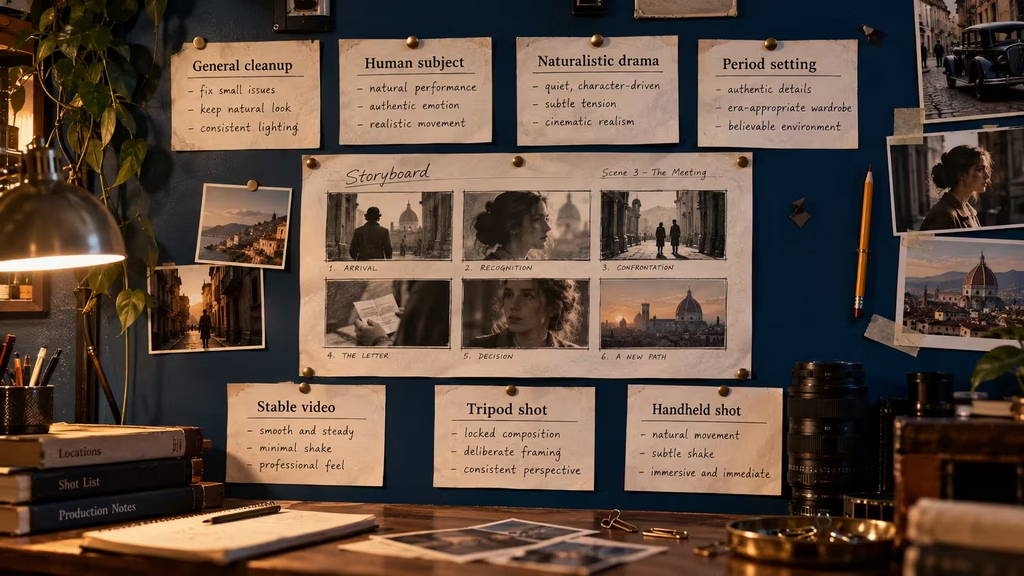
A film production wall displays six clipped prompt cards arranged around a central storyboard. Each card is labeled with a shot category and contains short handwritten-style lines. A director’s pencil, continuity photos, and a small lens sit on a shelf below. The scene feels practical and organized rather than futuristic, with warm tungsten light against a deep blue wall.
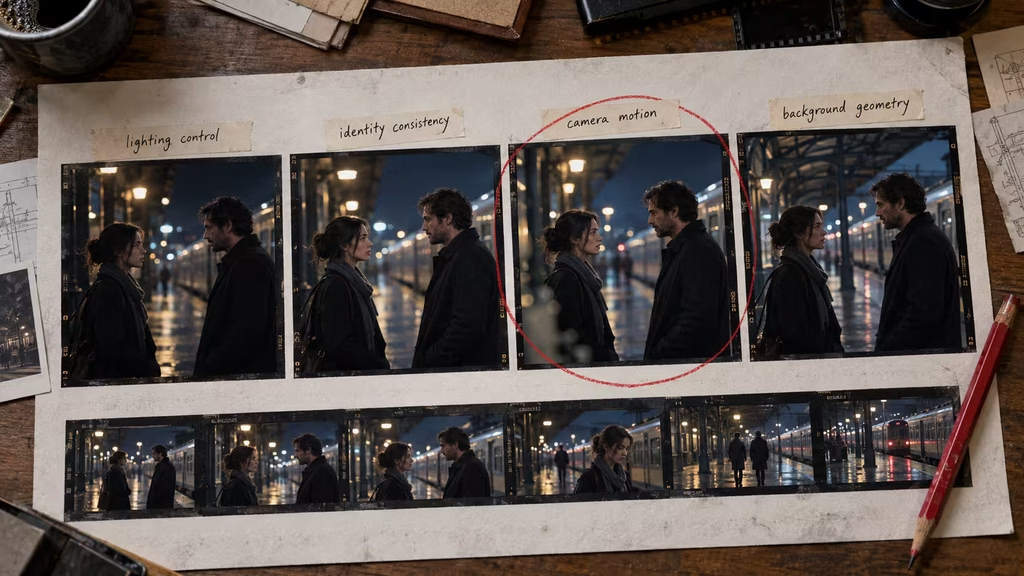
An editor’s test sheet holds four nearly identical film frames of a night dialogue scene, each with a small note identifying one changed restriction: lighting, identity, camera motion, or background geometry. A red pencil circles the improved frame while a continuity strip runs along the bottom. The setup feels like a practical post-production review, not a software interface.
When not to use a negative prompt
Some models and workflows respond poorly to negative fields. If repeated tests show no benefit, remove the field and strengthen the positive prompt. This is especially sensible when using a video model that follows motion instructions more reliably than prohibition lists.
Do not use negative prompting to censor an intentional visual choice. A horror shot may need gore, distortion, or unsettling anatomy. A dream sequence may require duplicated bodies and impossible architecture. A music video may depend on strobing light and aggressive color. The question is not whether an artifact looks unusual. The question is whether it was chosen.
You may also skip negatives for an exploratory first pass. Early ideation benefits from surprise. Once the visual direction is clear, add constraints to make the shot repeatable and bring it closer to the intended cut.
The filmmaker’s rule of thumb
A good negative prompt is short enough that you know why every phrase is there. It names a real risk, protects a real decision, and leaves room for the model to create texture and variation. If you cannot point to the failure a term is meant to prevent, remove it and test again.
The strongest workflow is not positive prompt versus negative prompt. It is positive direction, targeted constraints, references, controlled settings, and a human edit. Negative prompts are valuable because they keep predictable mistakes from taking over. They are not a replacement for knowing what the shot is about.
Write the shot first. Identify what can go wrong. Block those specific failures. Then watch the result closely enough to discover what the prompt missed.
Final checklist
Before generating, check the following:
– Does the positive prompt clearly describe the subject and action? – Which three failures would damage this shot most? – Does the negative prompt target those failures directly? – Are any negative terms fighting the desired lighting, motion, texture, or genre? – Does the list fit this shot type rather than a different shot? – Have identity and prop continuity been stated positively as well? – Are text and logos better handled in post? – Did you save the prompt and generation settings with the usable result? – For video, did you inspect both normal playback and frame-by-frame continuity? – Can you explain the purpose of every phrase in the negative prompt?
If the answer is yes, the negative prompt is doing its job. It is not trying to control every pixel. It is keeping the model from taking the easiest wrong turn.
Continue reading
Further insights from the Journal
Have a story in mind?
Bring your next project into focus.
Tell us what you are creating and what you want the audience to feel.