The story in brief
A practical guide to music prompts for cinematic AI filmmaking. Shape mood, tempo, instrumentation, dynamics, transitions, and continuity so AI generated scores serve the cut.
Inside this story
Music can rescue a rough cut, but it can also expose every weakness in one. A cue that arrives too early tells the audience what to feel before the scene earns it. A heroic swell under a quiet goodbye makes the goodbye feel manufactured. A track with a strong hook may sound fine on its own and still leave no room for dialogue, footsteps, or the small noise that makes a location believable.
AI music tools make it easy to request a genre and receive something pleasant. Pleasant is not the same as useful. For film, a music prompt has to describe a dramatic job. It must tell the generator what kind of scene the cue belongs to, how the cue begins, what changes, where the energy peaks, and how the ending should leave room for the edit. The prompt is closer to a note from a director and composer than a playlist search.
Begin with the scene’s dramatic job
Do not start with an instrument. Start with the change in the scene.
A cue may need to make a room feel larger, hold a secret under ordinary conversation, give a montage forward motion, mark a character’s decision, or let a final image linger after the story has ended. Those are different jobs even if they all use strings and piano. A prompt that says “beautiful emotional piano music” gives the model a color but no reason for that color to exist.
Write the scene’s musical job in one plain sentence:
> The cue begins as private doubt, gathers pressure as the train approaches, then releases when she chooses not to leave.
That sentence contains an arc. It also suggests that the cue should not open at full volume. The train can provide a percussive pulse or low rumble, while the choice at the end may need a harmonic change rather than a louder version of the same loop.
Before writing the full prompt, answer these questions:
1. What is the audience meant to notice or feel? 2. What is different at the end of the scene? 3. Does the music lead the change, follow it, or remain ambiguous? 4. What must the dialogue, sound effects, or silence retain? 5. Where does the cue start and stop in the edit?
The last question matters more than many creators expect. A cue made for a 20 second reveal has different needs from a five minute credit theme. State the intended duration when the tool supports it, but do not expect a model to obey exact timing perfectly. Generate musical material with clear edit points, then shape the final timing in a DAW or editor.
A useful brief might be: “Create a 45 second restrained suspense cue for a night drive. It supports a driver who suspects someone is following him, but the threat remains uncertain. Begin nearly empty, introduce a repeating low pulse after eight seconds, increase density without becoming action music, and end on an unresolved chord with a clean tail for a cut to silence.” That is much easier to direct than “dark cinematic thriller music.”
Describe emotion as a movement
Mood words are helpful, but they become stronger when paired with a change. *Melancholic* describes a color. *Melancholic at first, then quietly accepting* describes a route. *Tense but not panicked* establishes a boundary. *Tender with a trace of regret* gives the generator two feelings that can coexist.
Avoid stacking adjectives that point in opposite directions without explaining the relationship. “Epic, intimate, minimal, massive, peaceful, aggressive” gives the tool a pile of requests. It may respond by adding every familiar cinematic gesture at once. Instead, assign different feelings to different sections:
> Intimate and uncertain in the opening; more urgent as the memory returns; warm but not triumphant in the final bars.
Film emotion often depends on restraint. Fear is not always a fast ostinato. A nearly static low tone under an ordinary domestic scene can create unease because the music refuses to explain itself. Grief may work better with a melody that arrives late than with a constant minor key. Romance can be awkward, sparse, and unresolved instead of glossy.
Use concrete emotional behavior where possible. Ask for a melody that circles a note without resolving, a pulse that gradually narrows the space between attacks, or a harmony that opens from a close voicing into a wider one. These are musical actions that carry emotion without relying on inflated language.
A practical mood sentence follows this pattern:
> [Starting feeling] shifts toward [ending feeling] through [musical behavior], while avoiding [wrong interpretation].
For example:
> Quiet suspicion shifts toward certainty through a slowly tightening pulse and a melody that moves from short fragments to a complete phrase, while avoiding horror stingers or action-trailer impact.
This gives the generator an emotional direction and tells it what not to mistake the scene for.
Set tempo and pulse without boxing in the cue
Tempo is one of the clearest ways to make a cue fit a cut. Give a BPM range when you know the edit’s rhythm. A precise number can be useful for montage work, but a range often leaves the system enough room to find a musical pocket.
Useful descriptions include:
– 58 to 64 BPM for a patient, heavy dramatic scene – 72 BPM with a gentle pulse for reflective travel – 90 to 100 BPM for a controlled investigative montage – 118 BPM for forward motion that still leaves room for dialogue – free time at the beginning, entering a measured pulse after the first section
BPM alone does not determine energy. A 70 BPM cue can feel urgent if the ostinato subdivides into eighth notes. A 120 BPM piece can feel relaxed if the drums are sparse and phrases are long. State the pulse and the subdivision when it matters: “slow 4/4 at 72 BPM, with widely spaced piano notes and no busy arpeggios” or “steady 6/8 pulse around 86 BPM, felt as two broad beats rather than a fast waltz.”
Meter can imply movement and character. A 3/4 or 6/8 sway can make a memory feel circular. An uneven 5/4 pulse can make a routine walk feel subtly wrong. Use unusual meter because the scene needs friction, not because it sounds sophisticated. If a tool handles meter poorly, describe the sensation instead: “an asymmetrical pulse with one extra beat that keeps the phrase from settling.”
Free time is valuable for openings, breathers, and endings. A prompt can ask for “rubato piano with no fixed beat for the first ten seconds, then a quiet 4/4 pulse enters under the final image.” That transition gives an editor a natural point to align the cue with action. Do not ask for free time throughout a scene that needs a reliable montage bed unless you want a floating, difficult-to-cut result.
Choose instrumentation by function
Instrument lists are not a mood by themselves. Each instrument should have a job in the frame.
A piano can carry a recognizable character idea, mark an empty room, or provide a clean harmonic bed beneath speech. Low strings can add weight without announcing a melody. High strings can create a fragile edge, but constant tremolo may turn every scene into a thriller. Clarinet can bring intimacy or unease. Brass can suggest authority, danger, ceremony, or public scale depending on register, articulation, and harmony. Synths can act as atmosphere, pulse, bass, texture, or a deliberately artificial voice.
Describe role, register, and behavior rather than only naming instruments:
> Felt piano plays two widely spaced notes in the middle register. A low cello sustains underneath, entering only after the first image change. Thin bowed harmonics appear near the end, never rising above the dialogue.
That says more than “piano, cello, strings.”
Think about arrangement density. A small ensemble can feel more personal and leave room for production sound. A chamber group may support a close conversation better than a full orchestra. A broad orchestral cue can work for landscapes, final acts, or title sequences, but it becomes generic if the arrangement does not have a specific point of view.
Source choice also affects the world of the film. Acoustic instruments suggest bodies, rooms, and physical air. Synth textures suggest distance, technology, memory, or an interior state. Hybrid scores are effective when the relationship is clear: “organic cello and bowed metal gradually merge with a soft analog synth as the character crosses from the real room into the memory.” The instruments then dramatize the transition instead of appearing as a genre collage.
Write the cue as sections with behavior
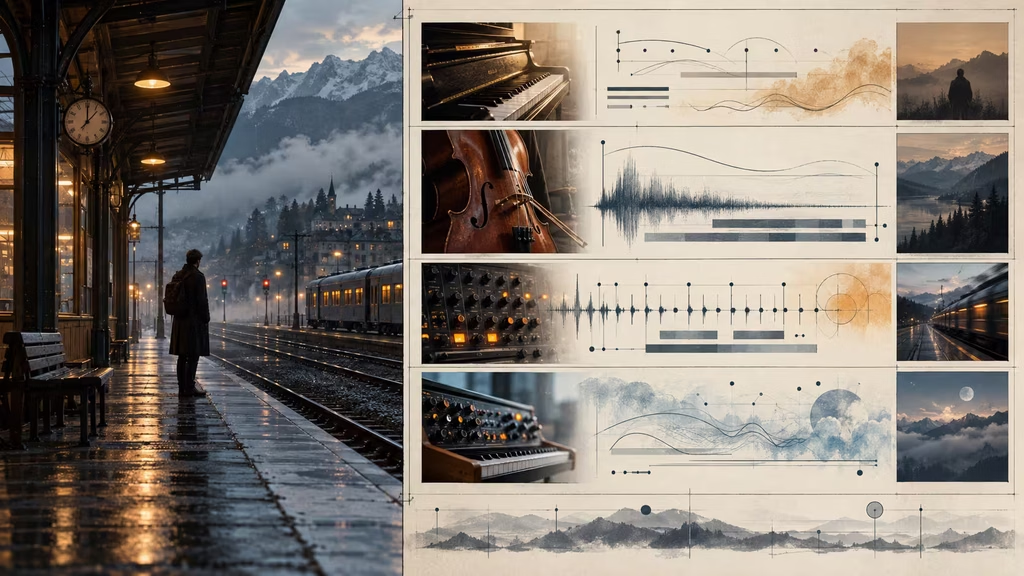
A strong music prompt gives the arrangement a beginning, middle, and end. Generic labels such as intro, verse, chorus, and bridge may work for songs, but an instrumental film cue often needs more scene-specific sections.
Try labels such as:
– opening bed – first image – pressure enters – escalation – reveal – emotional turn – release – final image – tail or cutoff
Then describe what changes in each section. For example:
> Opening bed: sparse felt piano and room tone, no percussion. Pressure enters: a low bowed string note repeats every two bars. Escalation: add a restrained eighth-note pulse and a second harmony, keeping the register below speech. Reveal: remove the pulse for one bar, then introduce a clear three-note motif. Ending: thin back to piano and unresolved low strings with a four-second tail.
This is musical direction, not a command to make a song with named sections. It tells the system how to spend attention over time.
Dynamic shape deserves equal care. Say whether the cue swells gradually, arrives in steps, drops suddenly, or stays almost level. A controlled swell is usually more useful than “make it epic.” A drop can be timed to a cut or a realization. Silence can be requested as a musical event: “leave one full bar nearly empty before the final chord.” If the tool tends to fill every gap, describe the absence positively: “the middle section has only one sustained cello note and faint air, leaving clear space for a spoken line.”
Do not make every cue climb to a climax. Some scenes need a flat bed with a slight harmonic disturbance. Some endings should stop before resolution. A score that never reaches a peak can make the one true peak in the film matter more.
Give the melody a usable identity
A motif helps a film feel composed rather than assembled. It does not need to be a catchy theme. It can be a rhythm, an interval, a contour, or a timbral event that returns under changed circumstances.
Describe a motif in simple terms:
– three notes, rising by a minor third and then falling by a whole step – a four-note figure that begins on the second beat and leaves the last beat empty – a narrow two-note call in clarinet, answered by a lower cello note – a descending piano figure that never completes its final step until the ending
AI music systems may not reproduce music theory instructions precisely, but these descriptions still narrow the field. Combine them with emotional behavior and instrument role:
> Introduce a small three-note piano motif in the opening, hesitant and incomplete. Bring it back in low strings during the decision, slower and more certain. Do not turn it into a cheerful hook or a sentimental melody.
Avoid asking for too many motifs. One main idea and perhaps one contrasting figure are enough for a short film. If every character, location, and object gets a theme, the cue becomes crowded. Let arrangement and harmony transform the same idea.
A motif also needs room to return. Tell the generator when it should appear: “motif first heard alone, absent during the middle dialogue, then returns with a wider interval after the door opens.” This can produce a more filmic sense of memory and recognition than a motif repeated constantly.
Harmony, tonal center, and unresolved endings
Key and mode can guide a cue, but they are not emotional shortcuts. Minor does not automatically mean sad. Major does not automatically mean happy. A major chord with a low pedal and close dissonance can feel troubled. A minor chord with open fifths and warm orchestration can feel calm.
Specify the harmonic behavior you want:
– a stable minor tonal center with occasional suspended seconds – open fifths and no strong third for ambiguity – gentle movement between two chords, avoiding a full cadence – a warm major turn that feels earned rather than triumphant – one unresolved upper note held over the final chord – harmony that slowly brightens while the rhythm remains restrained
These directions are often safer than a string of genre labels. If you need a precise key for continuity, state it: “D minor, with the final chord leaving an A in the upper register.” If the tool ignores key names, you can still preserve the intended feeling through register, instrumentation, and the edit.
Unresolved endings are especially useful in film. Ask for a clean stop on a suspended chord, a low drone that fades without a cadence, or an ending that cuts on an incomplete phrase. Make the tail explicit. “End with a short natural decay, suitable for a hard cut” differs from “long ambient fade under credits.” The first gives the editor a boundary. The second gives the audience time to remain in the world.
Leave room for dialogue and sound design
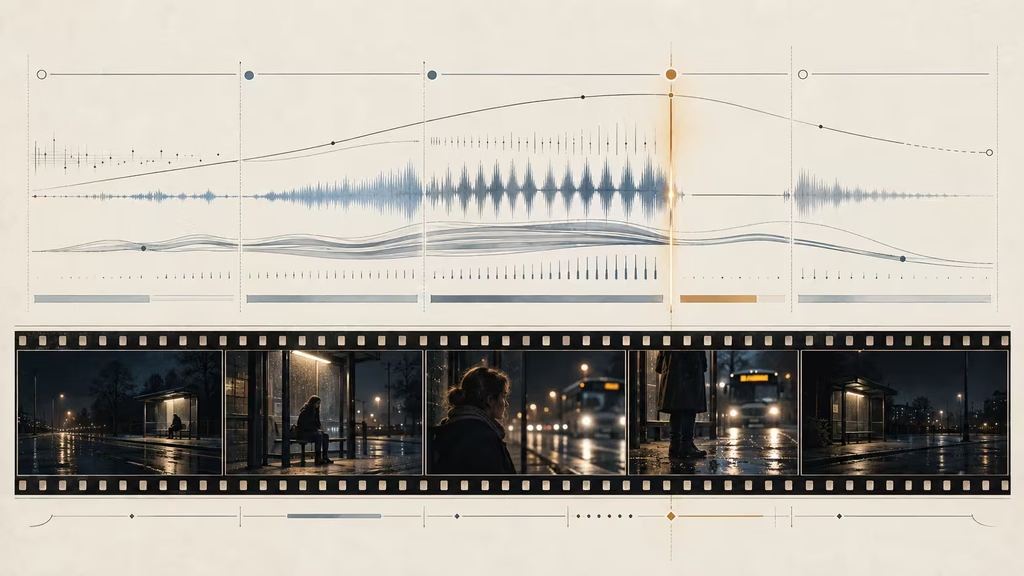
A film cue occupies frequency as well as time. Music that sounds impressive in isolation may mask consonants, footsteps, room tone, or a critical prop sound. Include mix intentions in the prompt, especially when the cue will sit under speech.
Useful language includes:
– sparse midrange under dialogue – no busy lead melody during spoken lines – percussion kept soft and low in the mix – leave open space between phrases – restrained high frequencies so the cue does not compete with sibilance – bass present but controlled, with no trailer impact – an instrumental stem-like arrangement with clear layers
These instructions do not replace mixing. You will still need to lower the music, use automation, equalization, sidechain ducking, or stem editing. They can make the source easier to mix. Ask for the important musical event outside the dialogue window: “the melody enters after the line ends, not underneath the confession.”
Sound design and music can share a texture, but they should not duplicate every action. If a door slam already carries the scene, a huge orchestral hit on the same frame may flatten its meaning. Ask for “a low swell that stops just before the door closes, leaving the physical impact exposed.” Music can frame an effect rather than explain it.
For documentary or location-based work, acoustic space matters. A dry studio piano under a scene recorded in a reverberant hall may feel pasted on. Request “a close, intimate piano with a short room tail” or “distant strings with a long, dark hall reverb that matches the empty station.” Do not over-specify technical reverb values unless the tool understands them. Describe the perceived distance and space.
Use silence, drones, and texture deliberately
Not every cue needs a melody. A drone, pulse, granular bed, bowed texture, or low harmonic field can support a scene while preserving attention. These materials are particularly useful for suspense, science fiction, horror, and transitional shots.
A texture prompt still needs boundaries. “Eerie ambient soundscape” is open-ended. Try:
> Nearly static low analog drone in E minor, faint granular hiss like distant electrical interference, very slow filter movement, no melody and no percussion, with a small increase in pressure during the final eight seconds and a clean cutoff when the image turns black.
The absence of melody is important. If the model keeps adding a piano theme, repeat the positive description: “texture only, no lead instrument, no chordal arpeggios.” A long negative list is less effective than a concise musical identity.
Drones can become tiring when they never change. Ask for small, local changes: a slight rise in harmonic partials, a subtle widening of the stereo field, or a low tone entering after a pause. The listener may not name the change, but they will feel the scene tightening.
Silence needs editorial planning. A cue that falls silent for one second can create a useful opening for a line or an image. State the duration approximately and say what returns afterward. “Remove all sustained sound for one beat, then let the piano return one octave higher” is more actionable than “include dramatic silence.”
Match the music to camera and edit rhythm
Music can echo visual grammar without literally copying it. Slow pans and held close-ups may accept long phrases. Rapid cutting needs a pulse, repeated accents, or a cue that can be edited into smaller units. A locked frame can still carry busy music if the scene is psychologically active, while a fast camera move may need sparse sound to prevent sensory overload.
Describe the relationship:
> The camera drifts slowly through an abandoned greenhouse. Use long sustained phrases with changes only when the lens passes a broken pane. Avoid a beat that suggests running.
Or:
> Support a 12-shot preparation montage with a steady 4/4 pulse at 96 BPM. Use short percussive accents for cuts, but keep the harmony understated and leave the final eight seconds open for the character’s voice-over.
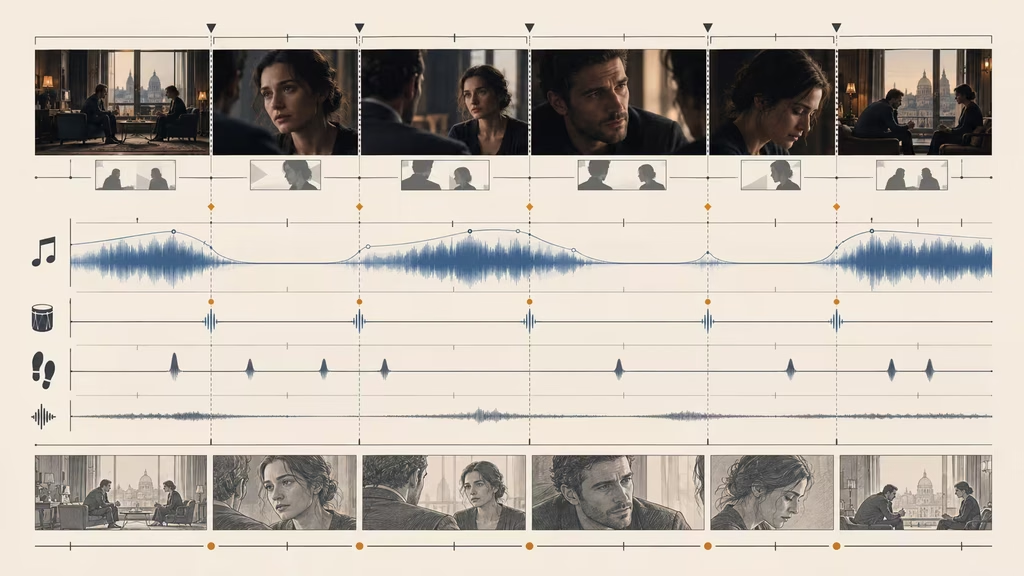
Do not ask the cue to hit every cut unless the edit truly demands it. Constant synchronization makes music feel like a template and limits editorial flexibility. It is often better to request a few accent points and a phrase ending near the major visual turn.
For action, define the physical source of energy. Low percussion can follow footsteps, strings can accelerate with a vehicle, or brass can mark a door breach. For contemplation, the cue might move against the edit by sustaining through several shots. A prompt should state whether the music is locked to the image or allowed to bridge cuts.
Write prompts for transitions and looping
Many film cues fail at the join. A track may have a beautiful opening but no usable middle, or a strong ending that arrives before the edit is ready. If a cue must cover variable footage, request loop-friendly structure.
A loopable prompt can say:
> Create a 60 second investigative underscore with a four-bar opening and a seamless central loop. Keep the harmonic center stable, avoid a final cadence until the last section, and make the first and last bars compatible for a crossfade. Sparse muted pulse, low strings, and a two-note motif. No major climax.
A loop is easier when the harmony, texture, and pulse do not announce a conclusion every eight bars. Ask for a continuous bed rather than a song-like chorus. If the system generates a clear ending anyway, cut before the cadence and crossfade while the texture is stable.
For transitions, tell the cue what the edit is doing. “Build a short rising transition for a match cut from a child’s drawing to the adult version of the same room. Begin with a paper-like percussive tick, widen into strings, and end on the first frame of the new location without a full impact.” This gives the transition a narrative connection.
A whoosh is not a score. If you want a transition effect, use an appropriate sound-design tool or request a musical transition with specific pitch and duration. “Two second low-to-high orchestral riser ending without a crash” is clearer than “epic transition music.”
Adapt prompts to common film situations
Suspense without trailer clichés
> 75 second restrained suspense underscore for a woman searching an empty office at night. Begin with near silence and a low sustained cello note. After 12 seconds, introduce an irregular muted pulse, never faster than 72 BPM. Add a two-note piano figure only when she reaches the locked drawer. Increase harmonic pressure through close dissonance, not loud drums. End with the pulse stopping one beat before the drawer opens. No trailer braams, no horror stingers, no heroic resolution.
Intimate conversation
> Quiet chamber cue for a two-person conversation in a kitchen after an argument. Warm felt piano, soft viola, and very light room texture. Start with piano alone, leaving space for the first lines. Let the viola enter after one person tells the truth, then open the harmony slightly as both sit down. Keep the melody sparse and below the dialogue. No sentimental swell, no percussion, no obvious romantic theme. End on a gentle suspended chord with a short tail.
Memory or flashback
> 50 second memory cue for a bright summer image that the character cannot fully trust. Begin with a clean plucked guitar and distant tape-like flutter, then let the harmony drift subtly out of tune as the image becomes unreliable. Add soft strings in the second half, but keep the pulse free and unhurried. The final phrase should repeat one note while the rest disappears. Nostalgic but uneasy, no glossy commercial warmth, no large climax.
Discovery and wonder
> Orchestral discovery cue for a child seeing the ocean for the first time. Begin with a small solo woodwind phrase and soft low strings. As the horizon appears, add open high strings and restrained harp, widening the harmony without becoming triumphant. Use a broad 6/8 pulse around 78 BPM, with no heavy percussion. Let the final image breathe on an open major sixth and a natural orchestral decay.
Montage
> 90 second forward-moving montage cue for a detective connecting clues across several locations. Steady 4/4 pulse at 98 BPM, muted piano ostinato, dry hand percussion, low synth bass, and short string accents. Introduce one new layer every 16 seconds, with a brief drop before the final clue. Keep the motif simple enough to cut around and avoid a complete melody during voice-over. Finish with a clean two-bar button, not a trailer hit.
Credits
> Three minute end-credit theme for a quiet science fiction drama. Slow evolving analog synth, warm cello, distant processed piano, and a restrained vocal texture without intelligible lyrics. Begin sparse, grow gradually across the first minute, then settle into a wider but still intimate harmony. Include a few loop-friendly middle passages for credit timing. End with a long, calm decay that feels reflective rather than victorious. No drum groove, no pop chorus, no sudden final impact.
The common feature is not a particular genre. Each prompt gives the cue a scene, duration, arc, arrangement, and boundary.
Vocal music requires extra decisions
If the film includes a song with lyrics, the prompt needs both musical and narrative direction. Decide whether the words belong to a character, a radio, a diegetic performer, a montage, or the credits. A lyric written for a character’s mouth should sound different from an external theme.
Describe vocal identity without naming a living artist. Mention register, texture, delivery, language, perspective, and emotional progression: “low intimate alto, close-miked and slightly breathy in the verses, opening into a clear restrained chorus, with plain conversational lyrics about leaving a familiar town.” Avoid asking for a vague “beautiful female vocal” if the voice has a dramatic role.
For diegetic music, include the source and its imperfections: “an old jukebox ballad heard from across a nearly empty diner, slightly muffled, with room reflections and a worn recording texture.” For a polished title song, ask for a cleaner arrangement and a vocal that can stand outside the world of the scene.
Lyrics also need room for edits. Ask for a hook that can repeat, instrumental bars between lines, or a self-contained chorus if the song will be cut. If the generator supports lyric tags, use structural markers sparingly. A cue with too many sections and instructions can become less stable than a song with a simple verse and chorus.
Do not use an existing artist’s name as a shortcut. Describe the period, instrumentation, vocal qualities, rhythmic feel, and production approach instead. This produces a prompt you can actually reuse and keeps the direction focused on sound rather than imitation.
Iterate like a composer, not a gambler
Generate variations with one controlled change at a time. The first pass might compare sparse piano against low strings. The next pass changes only the pulse. Another changes the ending from resolved to suspended. If every version has different genre, tempo, instruments, and structure, you cannot tell what improved the cue.
Keep a prompt log. Record the text, duration, tool settings, selected take, and a short verdict. Notes such as “Take 4 has the right opening but introduces a melody under dialogue” are more useful than a folder full of filenames. Save promising stems or sections before extending them. An extension can change the timbre, tempo, or motif unexpectedly.
Use three stages of review:
1. Listen without the picture. Does the cue have a shape, or is it a loop pretending to be a scene? 2. Listen with the rough cut. Does the music support attention, dialogue, and pacing? 3. Listen at low volume. The cue’s hierarchy becomes obvious. If all that remains is a loud pad or a busy melody, the arrangement may need thinning.
Do not repair every problem with volume. If a melody competes with a line, remove or move the melody. If the bass muddies footsteps, change its register or pattern. If the climax arrives too soon, edit the cue or generate a version with a slower density curve. Prompting and mixing solve different problems.
Continuity across a film
A score feels coherent when related scenes share a musical language. That language can come from an instrument, a motif, a tempo family, a production texture, or a harmonic idea. Write these rules before generating a sequence.
A small score bible might say: “Use felt piano for private decisions, low cello for unresolved family history, and a soft analog pulse only when the outside world intrudes. Keep ordinary scenes between 60 and 78 BPM. Avoid full drums until the final act. Preserve a dry intimate piano sound and leave dialogue space in the 1 to 4 kHz region.”
Then carry the rules into each prompt while changing the cue’s local job. The same piano motif may appear as a single hesitant note in an early scene, a low string transformation during a confrontation, and a warm open version in the final scene. This is more convincing than asking every cue to sound cinematic in the same generic way.
Track transitions between scenes. A musical bridge can carry a texture across a cut, but a hard change can make the cut visible. Both are valid. State the intention: “Let the low synth drone continue across the exterior-to-interior cut, then remove it when the door closes” or “End with a dry piano cutoff so the next scene begins in unscored room tone.”
Watch for AI drift. Generated extensions may change the instrument’s identity or turn a restrained cue into a pop arrangement. Restate the project rules in the extension prompt. If the drift persists, use the strong section as a short cue and build a new related piece rather than forcing a broken continuation.
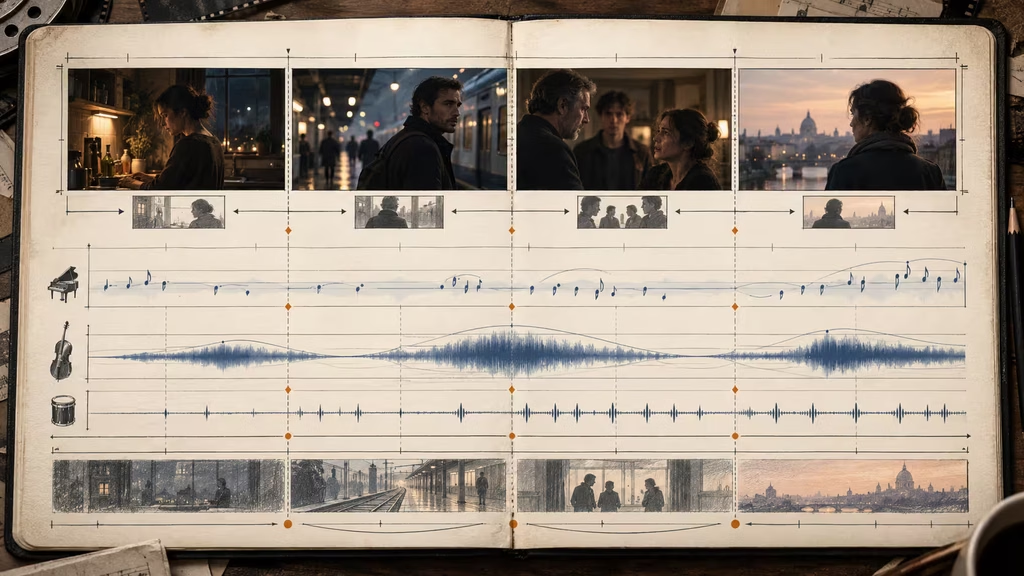
Common failures and useful repairs
If the cue sounds like a trailer, remove the familiar signals first. Ask for no braams, no giant impacts, no constant rising strings, and no heroic brass. Replace them with a specific dynamic: “increase pressure through closer harmony and a denser low pulse, remaining below conversational volume.”
If the cue sounds like stock music, give it a character decision. Add an incomplete motif, an unusual instrument role, a local sound texture, or a meaningful structural absence. “Sad piano” is stock language. “A two-note felt piano figure that stops before resolution whenever she looks at the empty chair” belongs to a scene.
If the generator adds too much percussion, state that the pulse is textural and quiet, or remove percussion entirely. If it ignores the requested ending, generate a shorter section with the ending as its primary job, then edit it onto the cue. A model may not understand a 90 second arc as well as it understands a 12 second ending.
If every take is too emotional, lower the instruction. Replace *devastating*, *epic*, and *powerful* with observable musical limits: sparse arrangement, narrow register, no swell until the final image, melody enters only once. Emotional force often comes from what the cue holds back.
If the cue is beautiful but impossible to cut, look for phrase length and cadence. Ask for clear four or eight bar phrases, sustained notes over edit points, or a loopable middle. Generate alternate buttons and tails. You do not need to use the entire output as one uninterrupted track.
If the music changes character between generations, shorten the style description and repeat the essentials in plain language. Too many competing references create drift. Lock the core palette, then vary one dimension at a time.
A reusable music prompt template
Copy this structure and fill only what the scene needs:
> Create a [duration] [instrumental song or score cue] for a [scene type and story situation]. The music should move from [starting emotional state] toward [ending state] as [visual or narrative change occurs]. Use [tempo or pulse], [meter if relevant], and [primary instruments with their roles]. Begin with [opening texture and density]. After [event or approximate time], add or remove [specific layer]. Reach [peak or restraint level] at [reveal, cut, or image]. End with [cadence, cutoff, loop, or decay] and leave [space for dialogue, sound design, or the next scene]. Avoid [two or three likely wrong readings].
A filled example:
> Create a 55 second instrumental score cue for a dawn exterior in which a woman decides to stay in her hometown. The music moves from uncertainty toward quiet acceptance as she watches the first bus leave. Use a slow 68 BPM pulse with free-time piano at the opening, felt piano as the character motif, low cello for weight, and a thin high string texture for morning air. Begin with two incomplete piano notes and no percussion. After the bus starts moving, let the cello enter and widen the harmony without becoming triumphant. Reach the emotional peak when she turns away from the road, then thin back to piano and one sustained cello note. End on an open major sixth with a four-second natural tail for a cut to room tone. Leave the middle register clear for voice-over. Avoid trailer drums, sentimental vocalizing, and a fully resolved heroic ending.
Final checklist
Before generating, read the prompt as if you were handing it to a composer who has never seen the film. Can they tell what the cue is doing in the scene? Is the emotional route clear? Does the instrumentation have jobs rather than just names? Is the tempo related to the edit? Does the arrangement change at a specific event? Is there room for speech and production sound? Does the ending give the editor a usable option?
After generating, judge the cue against the picture rather than the headphones-only impression. The right cue may feel almost too plain until it meets the actor’s face. The wrong cue may sound impressive while stealing the scene. Choose the one that makes the image easier to read.
The best music prompts do not ask AI to manufacture importance. They describe a musical decision, a time-based change, and a boundary. Give the cue a dramatic job, enough physical detail to make that job legible, and enough restraint for the film to remain present around it.
Continue reading
Further insights from the Journal
Have a story in mind?
Bring your next project into focus.
Tell us what you are creating and what you want the audience to feel.