The story in brief
A practical guide to writing AI film prompts as clear directions for a shot.
Inside this story
A cinematic prompt is not a shopping list. It is a set of decisions arranged so a model can turn them into a shot that feels intentional. The difference matters. “A beautiful woman in a cyberpunk city, cinematic lighting, 8K” may produce a striking frame, but it does not tell the viewer where to look, what is happening, how the camera relates to the person, or why the image should feel like a moment from a film rather than a wallpaper sample.
AI image and video systems respond to language unevenly. They are often good at surface qualities: a rain-wet street, brass buttons, candlelight, fog, a particular lens mood. They are less dependable when a prompt contains several events, contradictory spatial instructions, or a character who must remain recognizably the same across cuts. Structure is how you give the system a fair chance. It separates the decisions that establish the shot from the details that decorate it.
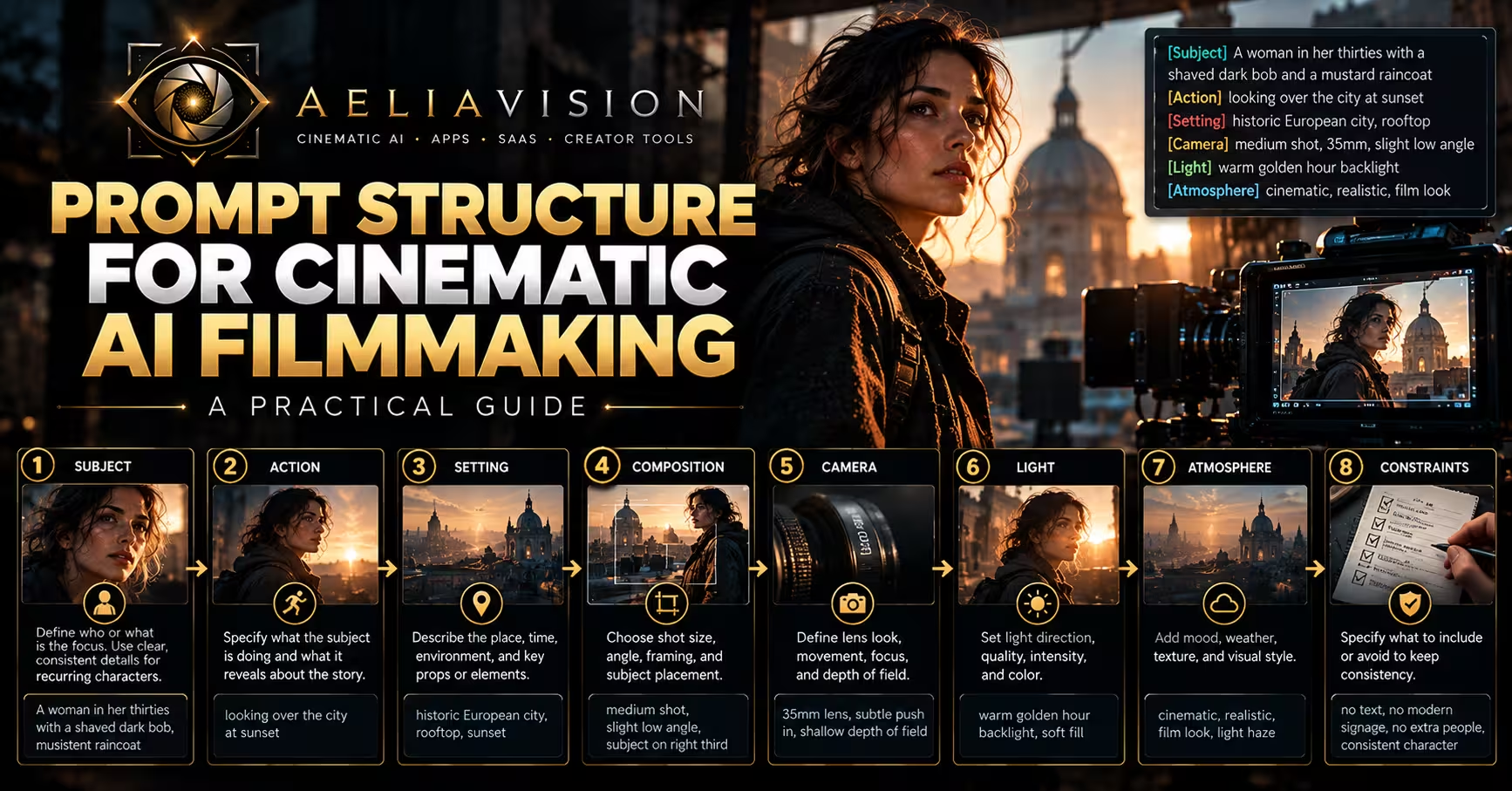
This guide uses a practical prompt order for filmmakers: subject, action, setting, composition, camera, light, atmosphere, and constraints. You do not need every part in every prompt. A close-up portrait may need only a subject, composition, light, and a small amount of setting. A complex establishing shot may need much more. The order gives you a way to diagnose a weak result. If the face is right but the geography is confused, the problem is probably not the color grade.
The goal is not to write the longest possible prompt. It is to make one shot legible enough that it can carry an edit.
Begin with the shot’s job
Before opening a generator, decide what the shot has to do in the sequence. Is it establishing where the scene takes place? Introducing a character’s state of mind? Showing a physical decision? Giving the editor a transition? Covering dialogue? A prompt gets clearer when it has a job.
A shot of a detective at a desk can do many different things. It can establish a cramped office before a visitor arrives. It can show her noticing a detail in a case file. It can be a quiet recovery beat after a chase. It can be a practical insert that lets you cut around a line of dialogue. Those uses require different framing, movement, and timing. If you only write “detective in office,” the model has to invent the purpose.
Write a one-line intention in plain language first. For example: “We need to feel that Mara has been awake too long, and the case is beginning to look personal.” That sentence is not the prompt. It is the test for the prompt. A low, static medium close-up with a desk lamp, tired eyes, and an old family photograph half-hidden under files supports it. A heroic wide shot with neon signs and dramatic wind does not.
This step also prevents a common AI filmmaking trap: making every shot compete for attention. Generators make spectacle easy, so it is tempting to give every beat smoke, backlight, movement, and production design. A film needs quieter material too. The mundane shot gives the strange shot somewhere to land. If every image announces itself, the edit becomes numb.
A useful planning note can include four fields:
- Narrative job: what the audience should understand or feel after this shot.
- Screen information: the action, prop, expression, or location detail that carries that job.
- Coverage role: establishing shot, master, medium, close-up, insert, cutaway, or transition.
- Continuity links: wardrobe, direction of travel, time of day, weather, prop state, and character identity.
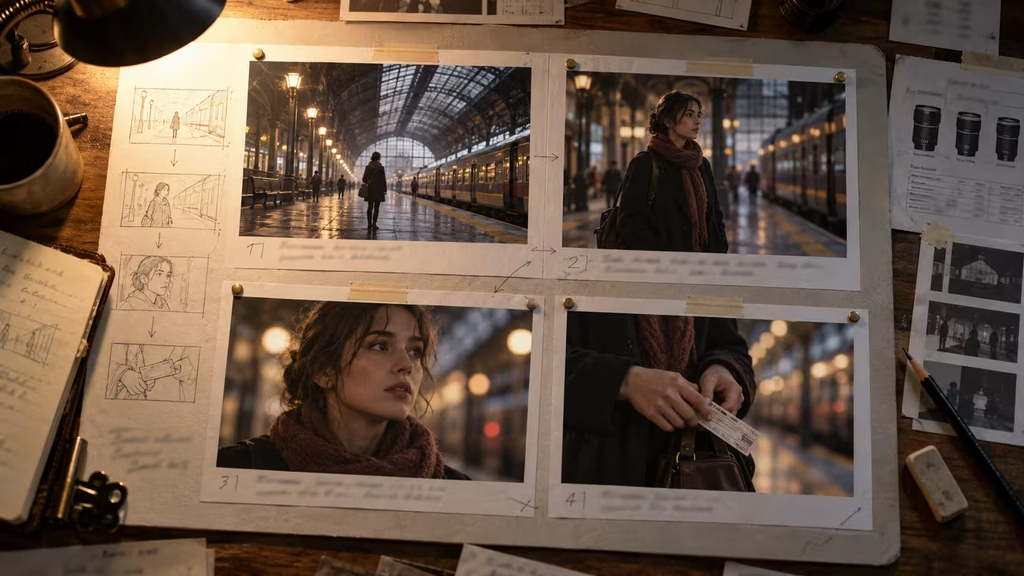
The coverage role is especially useful with video generation. A generated seven-second clip is not automatically a scene. It is a piece of coverage. If you generate a woman entering a station, then another clip of her walking toward camera, then a close-up of her checking a timetable, you can build pace in the edit. If each prompt asks for an entire mini-story, the model usually gives you a busy gesture with no clean point to cut.
Build the prompt around a clear subject
The subject is the anchor. Name the person, object, creature, or place the camera should treat as important. Then give it one or two identifying characteristics that matter to the story. The best descriptors are visual, stable, and useful across multiple shots.
Compare these two openings:
> A mysterious, beautiful, edgy young woman with a unique style in a dark city.
> A woman in her thirties with a shaved dark bob, a mustard raincoat, and a dented silver delivery case.
The first asks for a mood and invites generic casting. The second gives the generator visible markers that can recur. It also gives the costume department of your imaginary film something to preserve. A shaved bob, a mustard coat, and a dented case are easier to recognize from a wide shot than a delicate facial description.
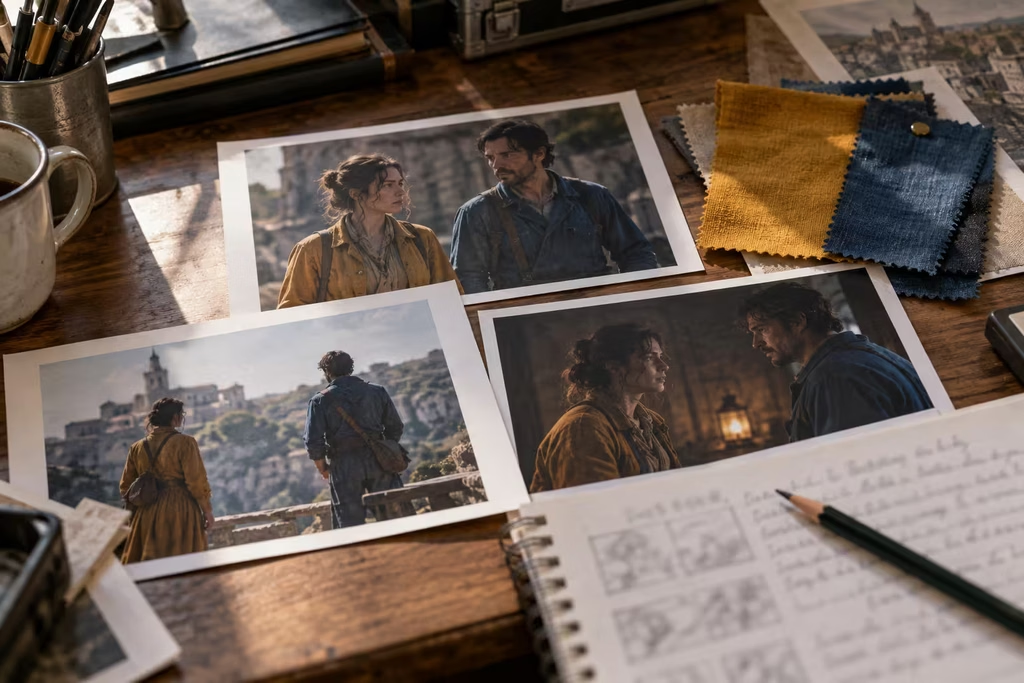
For recurring characters, create a compact character anchor and repeat its essential parts whenever the person appears. Do not rewrite the character from scratch in every prompt. If the first shot calls him “a narrow-faced mechanic with salt-and-pepper stubble, blue coveralls, and a burned left glove,” the next prompt can say “the same mechanic in blue coveralls and a burned left glove.” The exact approach depends on the tool, but conceptual consistency starts in the writing.
Use traits that survive the intended framing. A close-up can carry eye color, a scar, or a particular expression. A long shot probably cannot. In a wide frame, silhouette, clothing color, posture, and a held object do more work. If a detail matters later, show it in the shot where viewers can actually read it.
Avoid stacking adjectives that mean roughly the same thing. “Haunted, melancholic, vulnerable, sorrowful, emotionally broken” does not make a performance deeper. It gives the system a cloud of overlapping instructions. Pick the playable behavior: she rubs ink from her thumb, tries not to look at the empty chair, or speaks into a phone without pressing send. Action produces emotion more reliably than labels.
Give the subject one main action
A still image can suggest an action. A video prompt needs one that can unfold cleanly. Start with a simple verb and add only enough detail to make the movement specific: opens, waits, turns, lifts, crosses, listens, hides, drops, scans, reaches, recoils, steadies herself.
“A man runs through an alley while helicopters circle overhead, a car explodes behind him, he jumps a fence, and rain pours down” contains several separate shots. A video model may attempt all of them, but the result often has unstable body mechanics, a camera that cannot decide where to be, or an event that happens before the audience has time to register it. Split the sequence.
First clip: the man rounds a wet alley corner and sees the closed gate. Second: he grips the chain-link fence and looks back toward a pulsing red light. Third: a low angle of his shoes slipping on the first foothold. Each clip has a clean action and a clear cut point. You can add helicopters or an explosion only if they are the actual point of the shot.
Action should happen in a place the camera can understand. “She walks nervously” is vague because nervousness is not a movement pattern. “She walks along the platform edge, counting carriage doors under her breath” gives posture, direction, and a repeatable behavior. “He is scared” becomes “he freezes with one hand on the elevator button as the floor indicator changes behind him.” The second versions leave room for performance while putting something visible on screen.
For dialogue shots, prompt physical behavior instead of trying to make the model produce a whole emotional conversation. You may need a close-up of a character listening, swallowing a reply, or turning away after a line. These are useful editorial tools even when generated lip sync is imperfect. A reaction shot can carry much of the scene if it arrives at the right moment.
Keep cause and effect local. If a character reacts to a sound, name the sound source or show the cue in a prior shot. If she discovers a letter, describe the instant of noticing it, not the entire backstory inside the envelope. The audience can supply the larger meaning once you have given them a readable event.
Put the action in a specific setting
The setting is more than a genre label. “In a dystopian city” does not tell us whether the character is on a market street, a roof, an underground station, or in a service corridor. Those locations shape movement, composition, sound, and the sort of objects the character can touch.
Choose a setting with a few concrete anchors. A night market might have striped awnings, steam from food carts, a narrow aisle, and cheap plastic stools. A coastal house might have salt-stained windows, a faded tile floor, and a kettle rattling on a stove. You do not need to inventory every object. Pick details that establish material, scale, and lived use.
Spatial relationships deserve plain language. Say “she stands at the kitchen sink while her brother waits in the doorway behind her” rather than “two siblings in a tense kitchen.” The first tells the model who occupies the foreground, where the tension can live, and where a cutaway might come from. It also helps you protect screen direction in adjacent shots.
Time and weather belong here when they affect the shot. Dawn, late afternoon, a heatwave, and the hour after rain each produce different behavior and light. Do not add rain because it makes a frame look expensive. Rain changes wardrobe, surfaces, traffic, sound, and actor movement. If none of that matters, dry pavement may be the more honest choice.
A setting prompt can also include evidence of off-screen life. A pharmacy with a half-closed metal shutter, an apartment corridor with shoes outside every door, a bus depot with a cleaner mopping around sleeping passengers: these are not decorative facts. They tell the audience how the place functions. In a short scene, one accurate environmental detail can replace a paragraph of exposition.
Do not overload the setting with competing eras and styles unless that collision is central to the story. “Victorian, art deco, brutalist, retrofuturist, cyberpunk laboratory” is a mood board, not a location. Choose the governing architecture, then include one exception with a reason. A brutalist hospital with an unexpectedly ornate chapel tells us more than five aesthetic labels stacked together.
Control composition before you chase style
Composition tells the audience what to notice. Include the shot size and a simple arrangement when it matters: wide establishing shot, medium two-shot, over-the-shoulder, profile close-up, insert of hands, low-angle full body, high-angle view from a landing.
A wide shot needs a reason. It can make a person small in a landscape, show the geography of a confrontation, or let production design tell part of the story. A close-up can trap us with a character, preserve a small reaction, or turn an object into a decision. If you cannot say why a frame is wide or tight, try generating both and compare what changes in the scene.
Foreground, middle ground, and background are useful prompt tools, especially for deep spaces. “In the foreground, a cracked teacup sits on the counter; beyond it, the mother watches her son pack a bag near the front door” creates a layered image with a point of focus. It also gives an editor a natural insert idea. Use this sparingly. If everything is described with equal importance, nothing is composed.
For two people, specify who has the visual advantage. A character framed alone while another is only a blurred shoulder can feel interrogated, isolated, or watched. Two people centered symmetrically can suggest temporary balance. One person occupying most of the frame while the other is boxed into a doorway signals a relationship before dialogue begins.
There is a practical benefit to simple compositions in AI video. Hands, faces, furniture, and background activity all compete for the model’s attention. A single subject crossing an empty hall is easier to stabilize than four people passing objects around a crowded restaurant. Complexity is possible, but build up to it after you have the basic coverage.
Use negative space deliberately. A person pushed to one side of frame can create a space that feels expectant or threatening. That empty area should have a purpose: a door the character fears will open, a dark corridor, a blank wall that makes the room feel too large. Empty space added merely for a “cinematic” look can become a compositional shrug.
Describe camera movement as a physical choice
Camera language can help a model understand energy and point of view, but it is easy to misuse. “Cinematic camera movement” is not a direction. Say what moves, how fast, and what the move reveals.
A locked-off camera lets a performance or event happen inside a stable frame. It works for suspicion, awkwardness, deadpan comedy, and places where the audience should examine the background. A slow push-in can make us notice a realization, but it needs a target. A handheld follow shot can place us inside a hurried escape, though too much shake may make the generated motion look like an error instead of a choice.
Write movements that a camera operator could execute. “The camera slowly tracks backward as she walks toward it through the empty platform” is clear. “The camera circles around her, cranes upward, pushes in, whip pans to a train, then enters her memories” is several shots and perhaps an entire title sequence.
A move should change information. A dolly in can reveal a private reaction. A pan can connect a character to the object they have been avoiding. A rack focus can shift attention from a face to a key in the foreground. If the movement only adds energy, try a static shot with stronger framing. It may cut better.
Lens language is useful when you understand the practical effect. A 24mm lens exaggerates distance and keeps more environment present. A 50mm frame often feels neutral and human-scaled. An 85mm portrait compresses space and separates a face from the background. You do not need numerical lenses in every prompt. “Wide lens from close range” or “long-lens close-up through a crowd” can be enough. The important question is whether the lens makes the viewer feel close, distant, trapped, exposed, or observational.
Be careful with advanced moves such as drone dives, impossible orbit shots, and fast whip pans. They can look impressive in a standalone clip but may announce the generator rather than support the film. Save them for moments that can justify them: a location reveal, a shift in power, a transition into a dream, or an action beat where kinetic energy belongs.
Use light to reveal story, not just genre
Lighting instructions are strongest when connected to a source. Instead of “moody dramatic lighting,” describe “late sun through venetian blinds,” “a flickering vending machine in a closed station,” or “one greenish fluorescent tube above the repair bench.” The source explains the direction, color, and behavior of the light.
Motivated light makes continuity easier. If the scene begins at a kitchen table under a practical pendant lamp, a close-up can preserve the same warm pool of light. A reverse angle can include the window’s cool spill. The images feel like they belong in one room, even if they were generated separately.
Use contrast according to the scene’s emotional needs. Hard side light can make a face guarded or divided. Soft overcast daylight can let the audience read small expressions without visual aggression. A dark frame with one small source can create suspense, but it also hides detail. If an object or performance beat is essential, make sure the image gives it enough exposure.
Color should carry a restrained idea. A sickly green corridor may support a hospital or public building that feels uncaring. A warm amber apartment can make an argument feel more intimate, not necessarily safe. Color works best when it returns across a sequence. If every shot uses a different palette because each prompt asks for the most dramatic grade available, the film will feel assembled from unrelated reels.
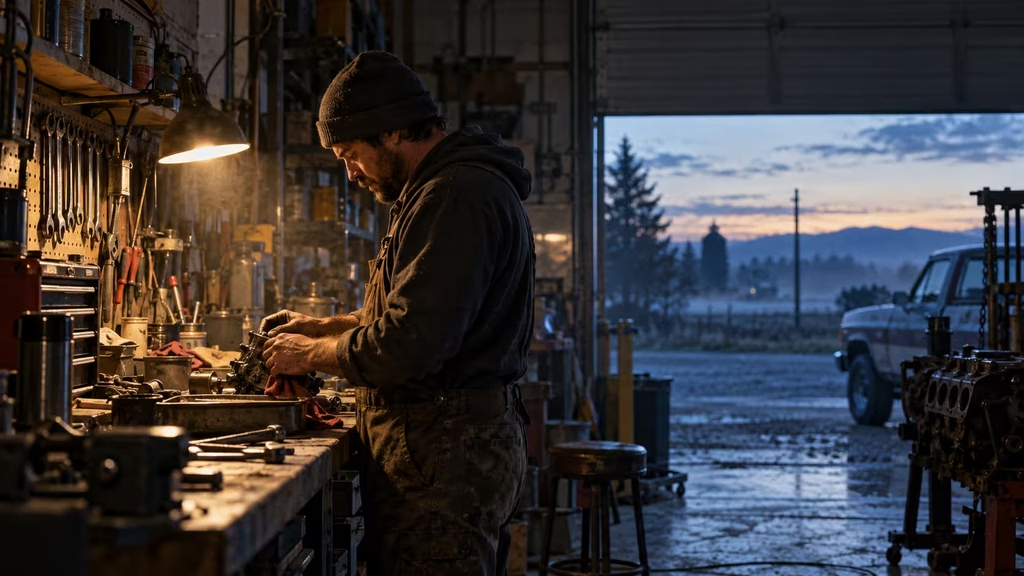
The word “cinematic” can be useful as a broad preference, but it cannot replace light direction, composition, or a scene purpose. Treat it as seasoning. A prompt such as “close-up of a tired mechanic under a single work lamp, cool dawn leaking through the garage door, shallow depth of field” tells the model far more than “ultra-cinematic, award-winning lighting.”
Add atmosphere after the essentials are working
Atmosphere includes weather, haze, texture, sound-implied details, crowd behavior, and the small irregularities that stop a setting from feeling like a showroom. It is where a shot begins to feel lived in.
Add atmosphere after you know the subject, action, setting, and frame. Otherwise, the prompt may turn into fog, sparks, rain, dust, film grain, smoke, bokeh, and floating particles with no event underneath. Those elements can be beautiful. They can also obscure the actor, confuse motion, and make every scene feel like the same music video.
Choose atmosphere that changes behavior. Wind lifts the edge of a coat and makes a character shield a match. Summer heat makes a bus window fog with breath only if the air conditioning is broken. A busy diner creates interruptions and forces a private conversation into a public place. A distant siren can make someone pause at the wrong moment. These details give atmosphere dramatic use.
Texture can be quieter. Old paint, worn carpet, a smudged mirror, rain residue on glass, cheap synthetic curtains, or flour on a kitchen counter say something about a place without demanding attention. One or two such details are usually enough. They should support the visual world, not become a catalogue of decay.
Sound does not render from a text prompt in every workflow, but it should still influence visual planning. If you need the rattle of a train, a buzzing sign, or a dog barking behind a fence, include visual sources that make the sound believable. Later, the sound editor has somewhere to attach the cue. A film becomes more coherent when picture and sound seem to come from the same place.
Place style references carefully
Style references can be useful shorthand, but they should not be the foundation of a prompt. Name the visual qualities you need: measured framing, muted colors, naturalistic practical light, grainy 16mm texture, crisp contemporary digital image, theatrical symmetry, documentary handheld movement. These are more transferable than a pile of director names.
If your workflow allows reference images, use them to lock the part of the problem language handles poorly: face identity, costume, architecture, palette, or a particular frame geometry. A reference is not a substitute for a shot prompt. It gives the system a visual boundary; the prompt still tells it what occurs in this new moment.
Avoid asking for a direct imitation of a living filmmaker’s signature. You can get closer to the underlying craft by identifying the ingredients. Rather than asking for an image “in the style of” someone, say that you want sparse production design, centered wide frames, soft colored practicals, or a grainy handheld close-up. That also makes it easier to revise when the first result is wrong.
Genre tags can guide expectations, but keep them subordinate to the scene. “A restrained folk-horror drama” may help after the prompt has already described the woman, the abandoned greenhouse, the frame, and the waning afternoon light. It cannot tell the generator which object matters or why she is there.
Finish with constraints and exclusions
Constraints prevent predictable failures. They are not an excuse to write a long negative prompt full of every undesirable thing you have seen online. Add only exclusions that protect the shot’s purpose.
For character work, common constraints include no visible text, no logos, no extra people in the foreground, natural hands, consistent wardrobe, and no direct gaze into camera unless the moment calls for it. For a period scene, you may need no modern cars, no contemporary signage, and no electric streetlights. For a quiet drama, you may need restrained expression rather than broad theatrical crying.
Phrase constraints clearly. “No readable text or branding” is useful when your scene includes papers, labels, or signs. “No surreal distortions” can be useful for a naturalistic scene. A giant pile of negatives can backfire by giving the system more concepts to consider. If a result keeps failing in the same way, edit the positive description first. The model may be adding crowds because you described a busy city, not because you forgot to ban people.
Video prompts benefit from timing constraints. State the duration behavior: “Over six seconds, she slowly turns toward the sound, then holds still.” This is more workable than asking for a complicated emotional arc. Give the action room to start and end. Editors need handles before and after the important gesture, so ask for a moment of stillness when possible.
A reusable prompt template
Here is a compact template that covers most cinematic shots:
> **[shot size and composition]** of **[subject with stable identifiers]** **[performing one visible action]** in **[specific setting with two or three anchors]**. **[Camera position or movement]**. **[Motivated lighting and time of day]**. **[One or two atmosphere details]**. **[Relevant continuity details and constraints]**.
A completed version might read:
> Medium close-up of Mara, a woman in her thirties with a shaved dark bob and mustard raincoat, standing at a nearly empty suburban station and counting carriage doors under her breath. The camera holds at shoulder height from across the tracks, with an out-of-focus timetable in the foreground. Cold predawn light mixes with the flicker of a vending machine. A distant train stirs loose paper along the platform. Her dented silver delivery case stays at her feet; no readable signs, no logos, restrained natural performance.
That prompt has a subject, action, setting, composition, camera relationship, light, atmosphere, continuity anchor, and constraints. It does not tell the model how Mara feels in five different adjectives. It lets the feeling emerge from her behavior and circumstances.
For video, simplify further:
> Medium close-up of Mara in her mustard raincoat at the empty station. Over six seconds, she counts carriage doors, hears something off screen, and slowly turns toward it. Locked-off camera at shoulder height. Cold predawn light and a flickering vending machine. Dented silver delivery case at her feet; no readable text, restrained movement.
The second prompt leaves out environmental details that may destabilize motion. If you need an establishing image of the station, generate it separately. If you need the delivery case in a close-up, generate an insert. A sequence built from simple shots is usually stronger than one generated clip trying to prove it can do everything.
Revise prompts like a director, not a slot machine
When a result fails, identify the failing layer before changing everything. If the face is inconsistent, shorten the setting details and reinforce the character anchor or use a reference workflow. If the action is mushy, reduce it to one verb. If the image feels generic, replace abstract mood words with a specific location detail, prop, light source, or composition choice. If the shot looks attractive but does not cut with the sequence, revisit its job.
Keep a prompt log. Save the final prompt, seed or model settings where available, reference images, aspect ratio, duration, and a note about why the clip was selected. This record is not bureaucracy. It lets you recreate a look when you need a pickup shot three days later, and it shows you which wording actually produced useful footage.
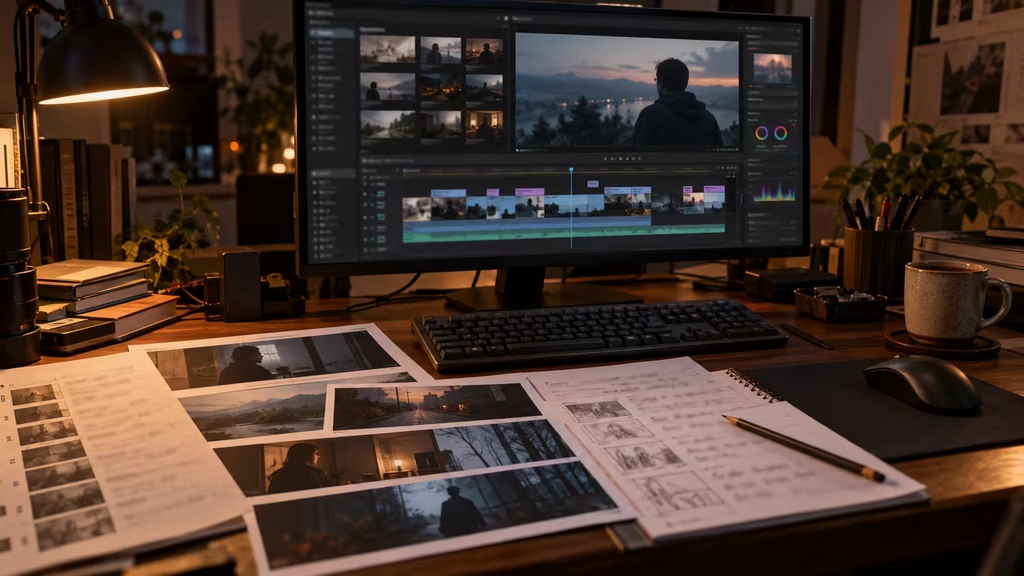
Review results in context, not one at a time at full screen. A clip can look excellent alone and fail between two neighboring shots because the eyeline reverses, the sun moves from left to right, the costume changes, or the energy spikes at the wrong point. Put rough versions on a timeline early. A modest shot that supports the cut is more valuable than a stunning one that isolates itself.
Generate alternatives with a purpose. Make one version tighter, one wider, one with the character looking screen left, and one with the character looking screen right. Generate a clean plate or an insert of the object you may need to cut to. This is how a small AI production gains the flexibility of conventional coverage.
A final prompt check before generation
Read the prompt once as if you were the camera operator. Can you tell where to put the camera, who to watch, and what must happen? Read it again as if you were the editor. Does the shot have a clean beginning and end, and does it offer information the surrounding shots need? Then read it as if you were the production designer. Does the setting contain only the details that matter, or is it carrying a whole mood board?
A reliable prompt answers a few basic questions. Who or what is the subject? What changes during the shot? Where are we? How close is the camera, and what does it favor? Where does the light come from? What detail connects this image to the rest of the sequence? What must not appear?
You will sometimes break the order. A location-first prompt may be right when the place is the character. An abstract experimental piece may begin with light, texture, or movement rather than a person. The structure is not a law. It is a way to make deliberate departures instead of accidental ones.
The best prompts leave the model enough room to surprise you, but not enough room to forget the scene. Start with the shot’s job. Name the subject. Give them one visible thing to do. Put them somewhere concrete. Decide how the camera and light will make the audience read that moment. Then generate the coverage your edit actually needs.
Continue reading
Further insights from the Journal
Have a story in mind?
Bring your next project into focus.
Tell us what you are creating and what you want the audience to feel.