The story in brief
A practical library of reusable prompt templates for planning and generating cinematic images, video, characters, environments, camera language, lighting, sound, music, motion, and continuity.
Inside this story
Cinematic AI filmmaking becomes more predictable when a prompt behaves like a production brief instead of a pile of visual adjectives. The strongest prompt does not merely say that an image should look beautiful or that a video should feel cinematic. It gives the model a subject, an action, a place, a point of view, a time, a visual intention, and boundaries. It also leaves room for controlled variation.
This guide is a working library rather than a list of magic phrases. Each template is designed to be copied, filled in, and revised across a project. Replace the words in braces. Keep the structure stable while changing one or two variables at a time. That habit makes it easier to see which decisions improve a shot and which ones only add noise.
The templates can support a short film, a music video, a branded sequence, a pitch deck, a storyboard, or a visual development package. They are model agnostic by design. Different image and video systems interpret language differently, so treat the output as a draft that needs selection, iteration, and editorial judgment. A prompt can describe intent, but it cannot replace a shot list, a continuity check, or a human decision about what belongs in the story.
How to use these templates
Start with the smallest useful version of a prompt. Identify the dramatic fact of the shot first. For example, a courier hides a letter in a wet train station is more useful than moody urban noir. Add visual details only after the scene reads clearly. If the subject, action, and setting are ambiguous, adding more style terms usually makes the ambiguity harder to diagnose.
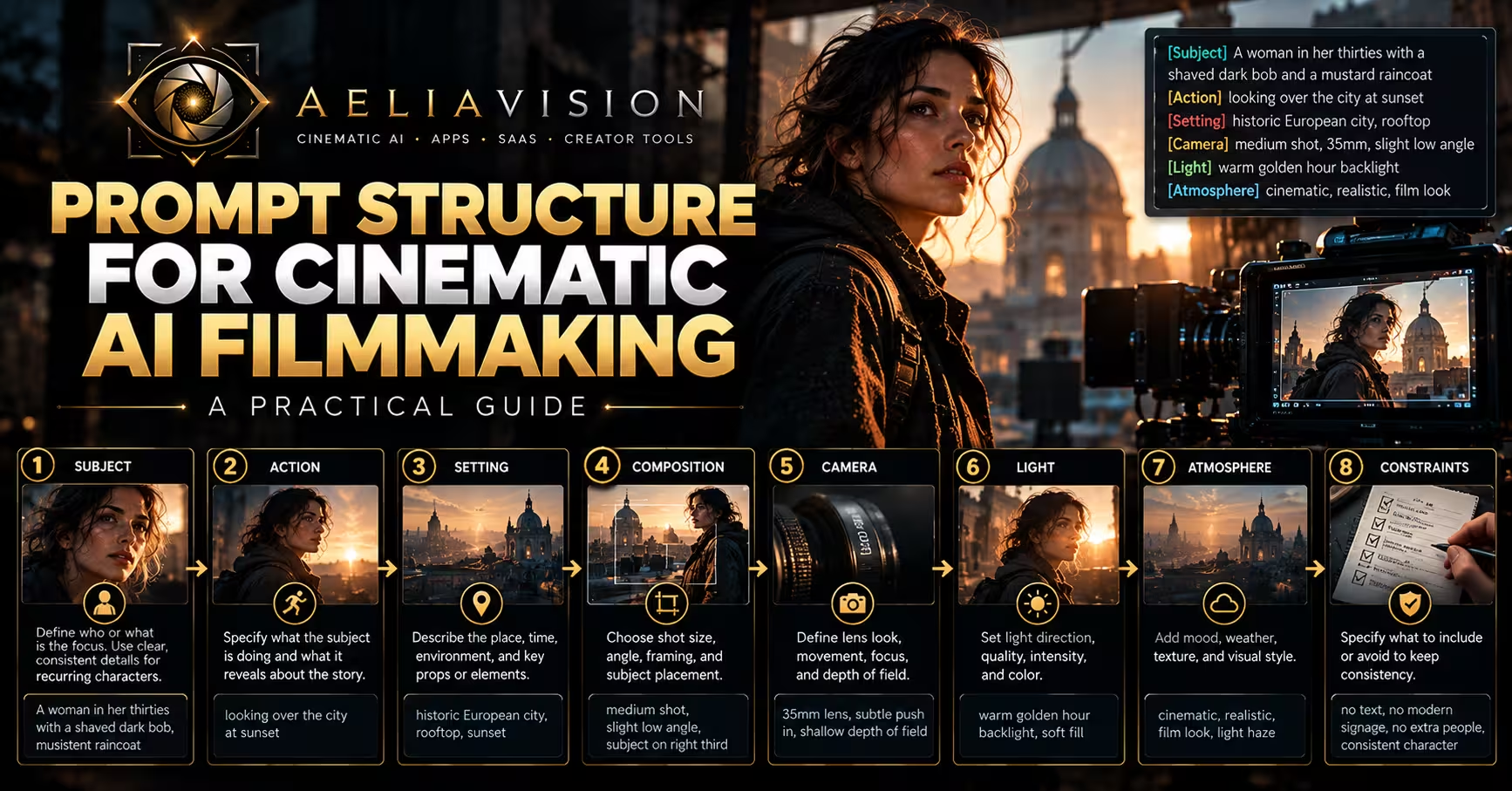
A practical prompt has layers:
1. **Story layer:** who is present, what they are doing, and what changes in the moment. 2. **World layer:** location, era, weather, props, architecture, and surface details. 3. **Cinematography layer:** shot size, camera height, lens feeling, angle, movement, focus, and composition. 4. **Light and color layer:** source direction, contrast, color relationship, exposure, and atmosphere. 5. **Output layer:** aspect ratio, duration, frame rate when supported, detail priority, and exclusions.
Do not force every layer into every generation. An establishing image needs more environmental information than a close portrait. A motion prompt needs a clear subject action and camera movement. A continuity prompt needs identity and state information. Use the relevant fields and omit the rest when they are not helping.
When a generation is close but not usable, revise in this order: subject identity, action, composition, camera, light, then texture. This order preserves the story while improving the surface. It also prevents the common mistake of changing the entire prompt when only one variable is wrong.
The master cinematic prompt
Use this template as a general purpose starting point for a single image or a key video frame:
“`text Create a cinematic {image or video} of {primary subject} in {specific location} at {time and weather}. The subject is {clear action}, revealing {emotion, intention, or story information}. Frame it as a {shot size} from {camera height and angle}, with a {lens character} perspective. Compose the frame so {subject placement and leading lines} direct attention toward {story priority}. Light the scene with {key source}, supported by {fill, rim, practical, or ambient source}; use {contrast and shadow behavior}. The palette is {two or three color relationships}, with {texture and atmosphere}. The visual reference is {genre or photographic tradition}, but avoid imitation of a specific living artist. Prioritize {face, hands, prop, architecture, motion, or another detail}. Output {aspect ratio, duration if relevant, and format}. Avoid {unwanted objects, text, anatomy errors, modern intrusions, or continuity breaks}. “`
The phrase “revealing story information” is useful because it prevents the prompt from treating emotion as a decorative label. A character who is afraid may grip a door handle, avoid eye contact, or hold still while the world moves around them. Describe the visible behavior when possible. Models often respond more consistently to physical evidence than to abstract direction alone.
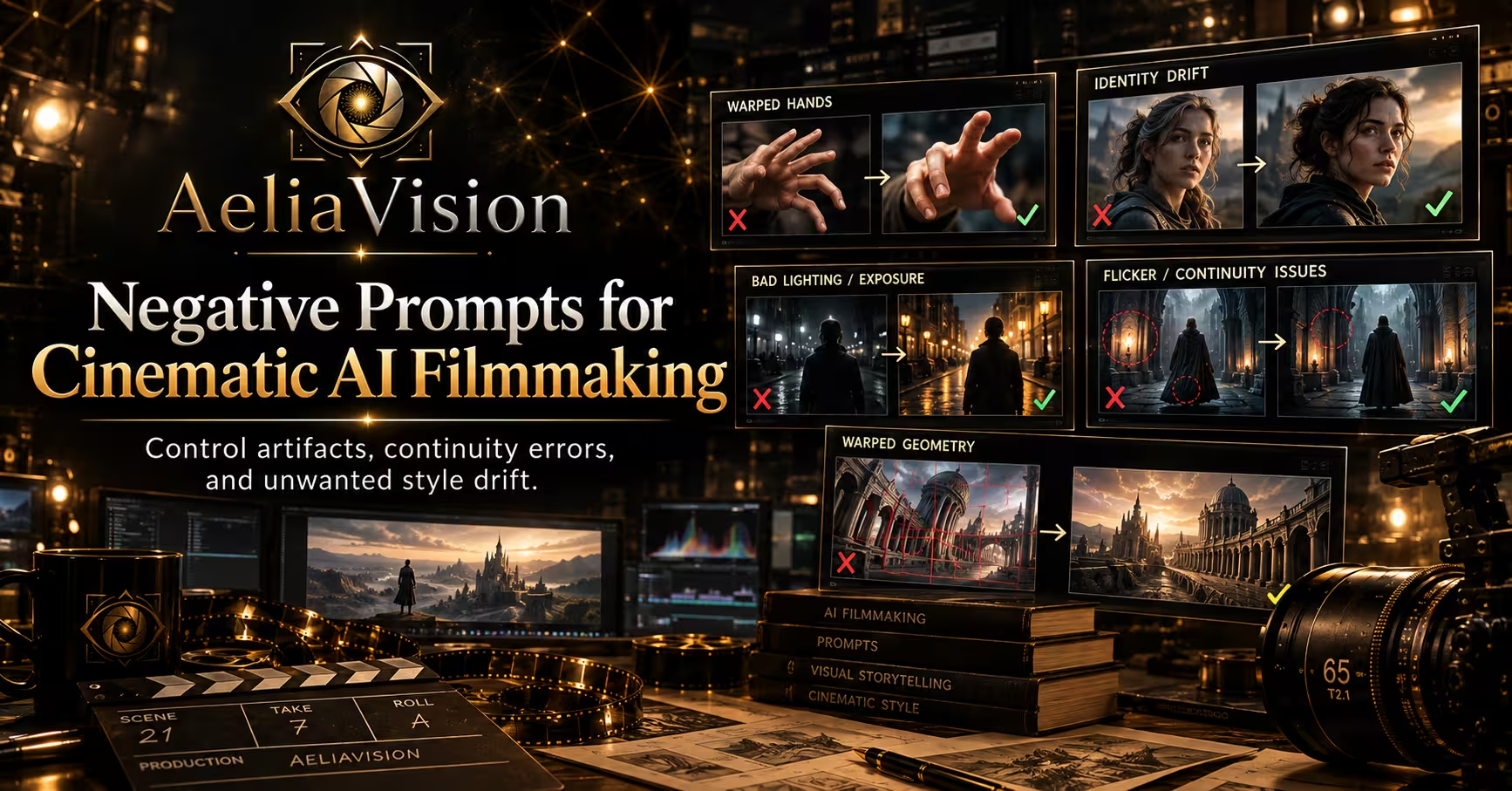
The final exclusions should be selective. A long negative list can flatten the image and remove useful irregularities. Mention only failures that matter to this shot. If the scene is a historical interior, exclude contemporary signage and plastic packaging. If the scene is a close portrait, prioritize natural eyes, believable hands, and a stable face.
Image prompts for keyframes and storyboards
Still images are useful for discovering the visual grammar of a project. Use them to test costume, production design, blocking, locations, color relationships, and the emotional temperature of a scene before committing to moving images. A storyboard prompt should communicate staging and editorial purpose, not only polished beauty.
Storyboard frame template
“`text Storyboard frame for a cinematic scene: {character or group} {action} in {location}. This is the moment immediately {before, during, or after} {story beat}. Use a {shot size} composition from {camera position}. Show {essential prop, gesture, or spatial relationship}. The background should establish {specific environmental fact} without competing with {story priority}. Lighting: {simple source description}. Mood: {precise emotional quality}. Keep the image readable for shot planning, with clear silhouettes, practical blocking, and a restrained palette of {colors}. Aspect ratio {ratio}. No captions, no speech bubbles, no logos, no unexplained background characters. “`
Cinematic still template
“`text Cinematic still of {subject} at the exact moment {event}. Location details: {three concrete details}. Subject details: {age range, clothing, physical features, and current condition}. Action and expression: {observable behavior}. Camera: {shot size}, {angle}, {height}, {lens character}, shallow or deep focus, and {composition}. Light: {source direction}, {quality}, {contrast}, and {practical lights}. Color grade: {palette and skin tone treatment}. Atmosphere: {rain, dust, haze, steam, wind, or clear air}. Make the frame feel like a deliberate film still with believable physical space. Exclude {specific risks}. “`
Use three concrete location details rather than a generic label. “Abandoned station” gives less direction than “cracked green tile, a dead departure board, and water pooled beneath the benches.” Specific details create a world that can be carried into later shots.
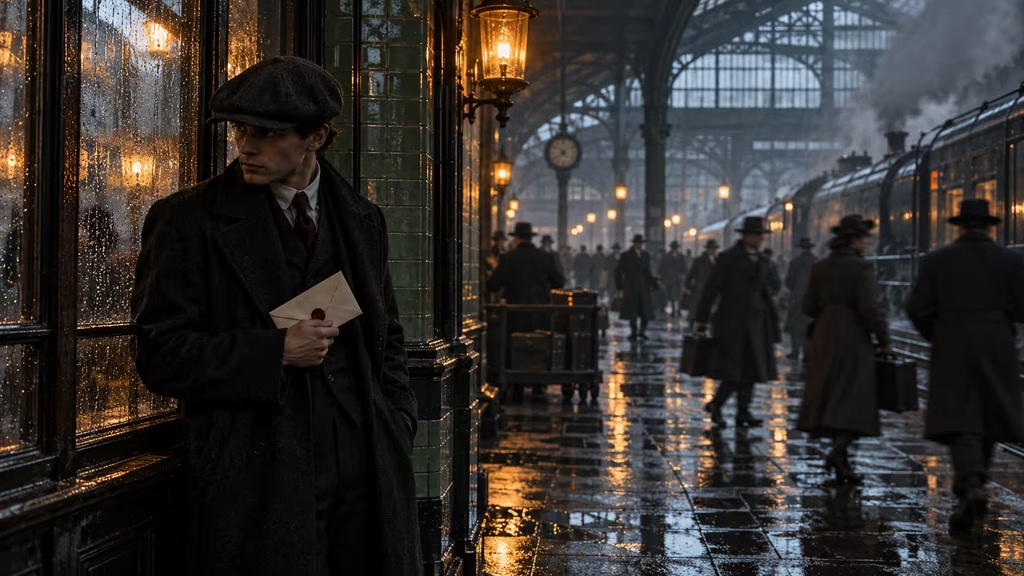
Image variation template
“`text Keep the same {character, object, location, time, and palette} as the reference. Generate a new composition in which {single changed variable}. Preserve {identity markers, costume details, prop position, architecture, and light direction}. Camera is now {new shot size or angle}. The emotional beat is {beat}. Do not add {unwanted change}. Maintain a coherent cinematic frame with {aspect ratio}. “`
This is a preservation prompt. It tells the system what must remain fixed while asking for one deliberate change. If you ask for a new angle, do not also request a new costume, season, and location unless the story calls for those changes. Controlled variation is more valuable than random novelty during development.
Character prompt templates
Character consistency starts with a compact identity record. Build the record before generating scenes. It should describe stable traits and variable states separately. Stable traits include face shape, hair pattern, height impression, posture, and distinctive marks. Variable states include wet clothing, fatigue, injury, expression, and objects carried in a particular scene.
Character identity sheet
“`text Create a character identity sheet for {character name or role}, a {age range and occupation} in {story world}. Show the same person in front view, three quarter view, profile, and full body. Stable identity markers: {face shape}, {hair}, {eyes}, {skin tone}, {distinctive mark}, {body proportions}, and {resting posture}. Costume baseline: {garments, materials, colors, footwear, and accessories}. Expression range: {three emotional states}. Include a neutral studio background and even soft light for reference clarity. Keep facial identity, hairline, proportions, and costume logic consistent across views. No text labels, no extra people, no glamour retouching. “`
Character in scene template
“`text Use the established character identity for {name}. Place the character in {location} during {time and weather}. Current state: {fatigue, injury, wetness, dirt, emotional pressure, or calm}. Costume remains {baseline items}, with only these changes: {scene specific changes}. The character is {action}, interacting with {prop or person}. Show the identity markers {list two or three} clearly enough for continuity. Camera: {shot size and angle}. Light: {source and direction}. Preserve believable anatomy and age. Exclude {identity drift, costume drift, duplicate limbs, or unrequested accessories}. “`
Character transformation template
“`text Show the same character, {name}, at two story points: {earlier state} and {later state}. Preserve face structure, hairline, height impression, and distinctive mark. Change only {specific narrative changes}, such as {costume wear, posture, hair length, injury, or emotional tension}. Present both states in matching three quarter views with comparable lighting and neutral composition. The transformation should communicate {story meaning} without changing the person’s identity. “`
A character prompt should not rely on a celebrity name as a shortcut. Describe the useful visual properties directly. This gives the project a distinct identity and avoids making the prompt depend on an external likeness. It also makes casting and design decisions easier to revise.
Environment and production design templates
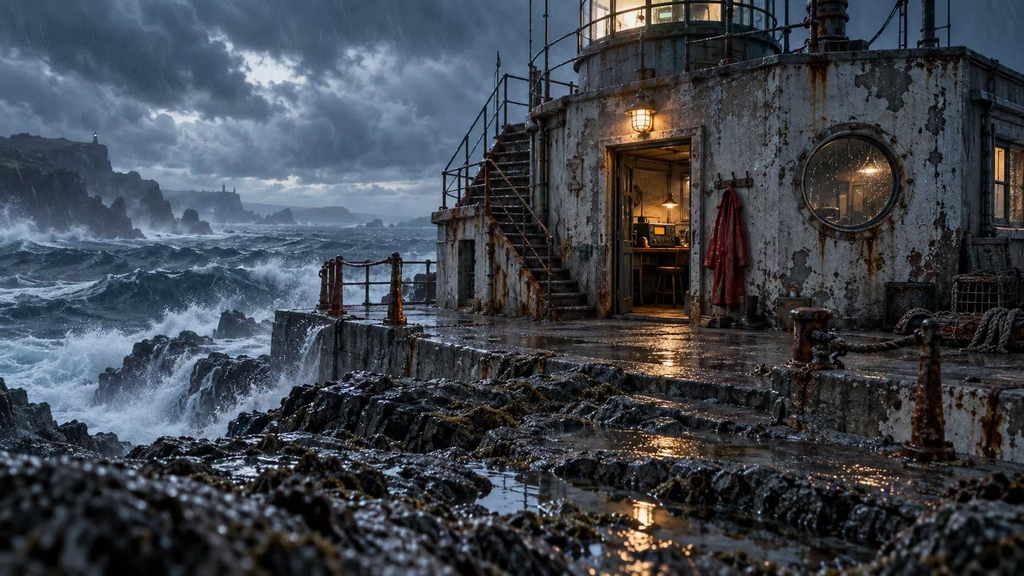
A cinematic environment is more than a backdrop. It should suggest how people move through it, what the space is used for, what has happened there, and where the camera can stand. Include evidence of use: worn thresholds, repaired wiring, stacked containers, footprints, condensation, discarded tools, or carefully maintained surfaces.
Environment establishing shot
“`text Establishing shot of {location} in {world and era}, designed for the story of {one sentence premise}. Show the spatial layout clearly: {foreground}, {middle ground}, and {background}. Architectural identity: {materials, construction, age, and regional cues}. Signs of use: {wear, repairs, clutter, or maintenance}. Weather and air: {conditions}. Include {essential story location or prop}. Camera at {height and position}, {shot width}, with {lens character}. Light comes from {source}, creating {shadow pattern}. Palette: {colors}. The location should feel physically navigable and ready for a scene, not like an abstract concept art backdrop. No readable text unless specified. “`
Environment continuity template
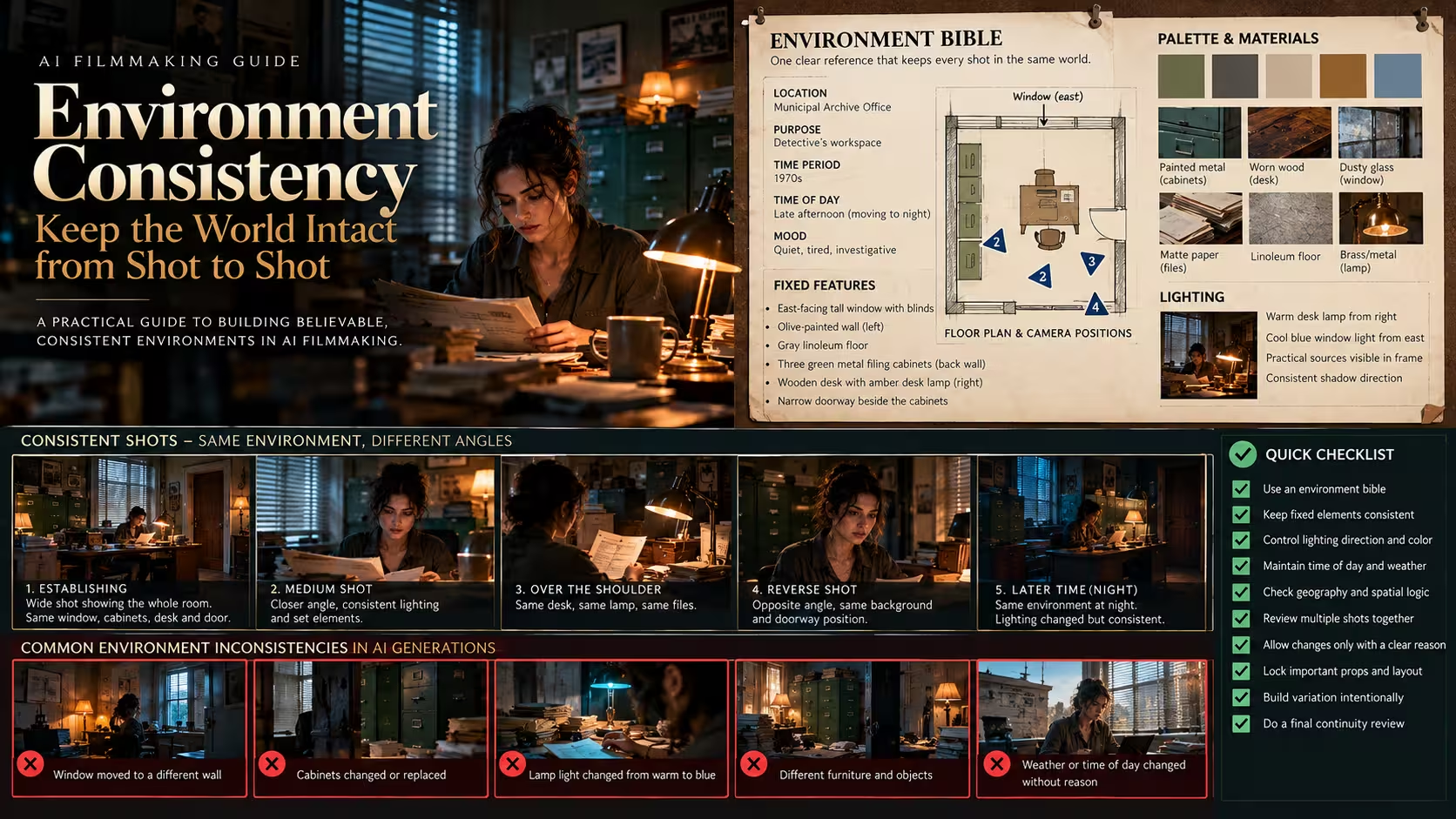
“`text Return to the established {location name}. Preserve the same {architecture, entrance, dominant materials, hero prop, window direction, and practical light sources}. It is now {time change or weather change}. Show the camera position from {new position} while keeping spatial relationships accurate. Add only {new story event or environmental change}. The floor, walls, doorways, major furniture, and light direction must remain consistent. Cinematic composition, believable scale, no architectural rearrangement. “`
Prop and set dressing template
“`text Design a hero prop for {character or story purpose}: {prop}. It belongs to {world, era, and culture}. Materials and construction: {details}. Evidence of handling: {scratches, patina, fingerprints, repairs, or wear}. Its visual signature is {shape, color, mechanism, or emblem that is not written text}. Show it in a clean reference view and in a scene where {character} uses it. Keep dimensions and construction consistent between views. Avoid decorative detail that has no narrative purpose. “`
The word “hero” means the prop matters enough to track across shots. If an object affects the plot, establish its appearance, size, and condition early. A continuity note can record whether it is open, closed, damaged, wet, empty, or held in a particular hand.
Camera and composition templates
Camera language carries meaning. A high angle can make a person appear exposed, but its effect depends on context, distance, and performance. A locked frame can create pressure when the subject wants escape. A moving camera can express pursuit, instability, discovery, or intimacy. State what the camera is doing and why.
Shot design template
“`text Design a {shot size} for the beat in which {story action}. Camera position: {height, side, and distance}. Perspective: {wide spatial view, compressed view, intimate portrait, or neutral observation}. Composition: place {subject} at {frame position}; use {doorway, corridor, horizon, shadow, or object} as a visual frame or leading line. Focus priority: {detail}. Background behavior: {sharp, soft, moving, or obscured}. Camera movement: {locked, pan, tilt, dolly, handheld, crane, or tracking}, motivated by {story reason}. End the shot with {visual state for edit}. Aspect ratio {ratio}. “`
Camera movement prompt
“`text A {duration} shot begins with {starting composition}. The camera {specific movement} at a {speed and quality} while the subject {physical action}. Keep {identity marker or prop} visible during the movement. Parallax should reveal {environmental information}. Focus transitions from {first priority} to {second priority} at {story moment}. The movement ends in {final composition}. Avoid random shaking, rubbery motion, sudden lens changes, and objects appearing or disappearing. “`
Coverage prompt
“`text Generate a coherent coverage set for one scene: {location}, {characters}, and {action}. Create a wide master, a medium two shot, an over shoulder from {character}, a close reaction, and an insert of {prop}. Preserve screen direction, light direction, costume, prop state, and spatial layout in every frame. The emotional progression is {sequence}. Use matching color and lens logic so the set can be edited together. Avoid changing time of day or moving doorways between shots. “`
Coverage is where many AI generated sequences fail. A collection of attractive frames is not automatically editable. Ask for a set with preserved screen direction and prop state. Even when each frame is generated separately, the request reminds you to inspect the relationships that matter in an edit.
Lighting templates
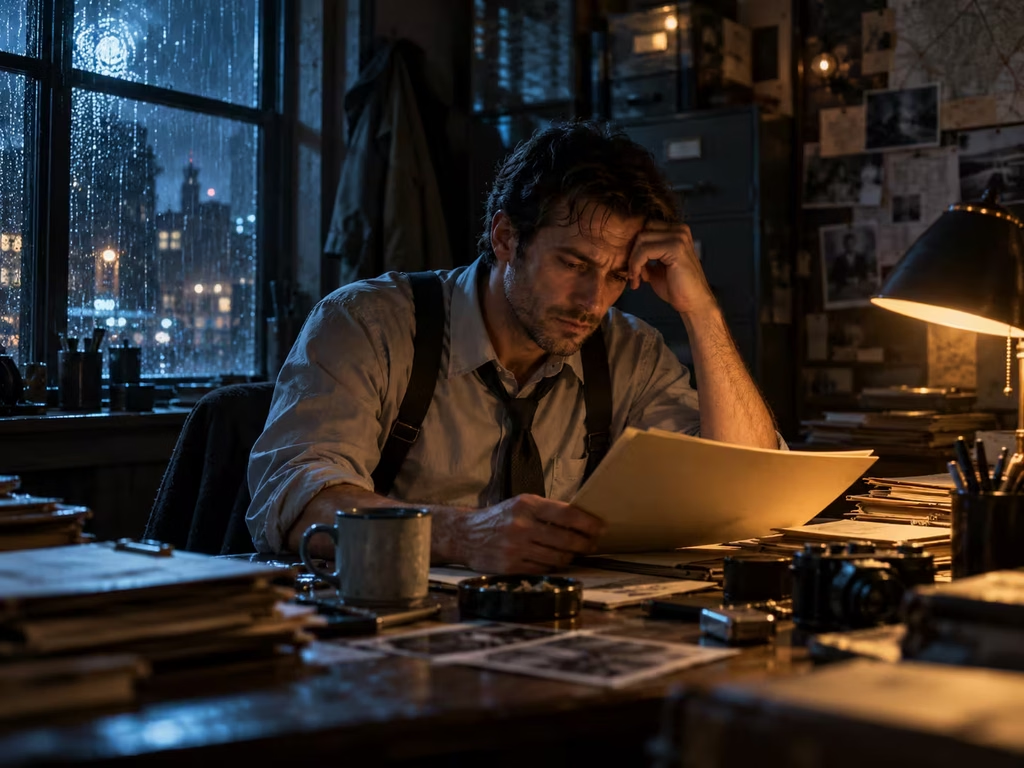
Lighting prompts work best when they identify source, direction, quality, contrast, and interaction with surfaces. “Dramatic lighting” is too broad to guide a precise setup. Decide whether the scene is motivated by a window, a streetlamp, a monitor, fire, overcast sky, or a practical fixture.
Motivated lighting template
“`text Light {subject and location} with a motivated {key source}. The key comes from {direction and height}, has {hard or soft quality}, and produces {shadow edge and falloff}. Add {fill or negative fill} so the contrast is {low, moderate, or high}. Use {rim, bounce, haze, or reflected color} only where physically motivated. Practical sources include {list}; they should affect nearby surfaces and skin naturally. Preserve readable faces while allowing {specific area} to fall into shadow. Palette: {color temperature relationship}. Atmosphere: {clear, humid, dusty, smoky, or rainy}. Avoid flat frontal light and unexplained colored illumination. “`
Time and weather lighting template
“`text Show the established scene at {dawn, noon, blue hour, night, or other time} during {weather}. The dominant ambient source is {sky, sun, moon, street lighting, interior practicals}. Light direction is {direction}; reflections appear on {surfaces}. Shadows behave as {description}. Preserve the location and character identity from the reference. The change in light should communicate {narrative effect}, not merely change the color grade. “`
Silhouette and reveal template
“`text Begin with {subject} mostly concealed by {shadow, fog, doorway, backlight, or foreground object}. A motivated change occurs when {light or subject movement}, gradually revealing {face, prop, or spatial detail}. Keep the reveal physically plausible and timed to the action. Contrast moves from {starting level} to {ending level}. The final image should preserve mystery while making {essential story fact} legible. “`
Motion and action templates for video
Video prompts need temporal clarity. Name the starting state, the action, the camera behavior, the physical reaction, and the ending state. A model may otherwise combine separate ideas into an unclear burst of movement. Use one primary action per short clip unless the transition between actions is the point.
Single action video template
“`text Create a {duration} cinematic shot. Start with {subject} in {starting pose and position} at {location}. The subject performs one clear action: {action}, at {pace}. Physical details: {cloth movement, weight shift, hand contact, water, dust, or hair response}. The camera begins {starting framing} and {camera movement} because {motivation}. Maintain the subject’s identity, costume, and prop state. Focus stays on {priority}; background movement is {description}. End with {ending pose or composition}, holding for {brief beat}. Avoid extra limbs, teleporting objects, impossible acceleration, and unmotivated camera shake. “`
Interaction template
“`text In a {duration} shot, {character A} and {character B} interact with {object or space}. Begin with {initial positions and eyelines}. {Character A} does {action}; {character B} responds by {visible reaction}. The object behaves with believable weight and contact. Maintain screen direction and keep both characters’ identity markers stable. Camera: {coverage and movement}. The emotional turn occurs when {beat}. End with {new relationship or spatial state}. “`
Atmosphere motion template
“`text Create a restrained cinematic shot of {static subject or location}. The primary motion is {rain, smoke, curtains, distant traffic, water, dust, or foliage}. Secondary motion is minimal: {one detail}. Camera is {locked or specified movement}. Preserve architecture and composition. The atmosphere should support {mood or story information} without obscuring {priority}. Natural timing, coherent wind direction, stable geometry, no sudden weather changes. “`
Use verbs that can be seen. “Feels tense” is direction for performance or editing, but “the character pauses with one hand on the latch while the footsteps stop outside” gives the motion system something concrete to stage.
Sound design and music prompt templates
Visual generation does not replace sound design. A prompt library should include audio planning because sound determines scale, location, rhythm, and emotional interpretation. Write sound prompts as layered cues. Separate foreground action, room tone, environmental bed, and musical intent.
Sound design cue template
“`text Design sound for a {duration} cinematic shot in {location}. Foreground sounds: {specific action sounds}. Character sounds: {breathing, clothing, footsteps, voice texture, or silence}. Environmental bed: {room tone, weather, distant activity, machinery, wildlife, or traffic}. Perspective: the camera is {near, far, enclosed, exposed, or moving}, so sound should feel {corresponding quality}. Let {important sound} enter at {time or story beat}. Keep {sound} understated or absent to protect {dialogue or reveal}. No generic trailer impacts, no constant rumble, and no sounds that contradict the visible materials. “`
Diegetic sound transition template
“`text Create a sound transition from {scene A} to {scene B}. Begin with the diegetic sound of {source} in {first space}. Gradually emphasize {shared rhythmic or tonal element} as the image changes. Transform it into {new source} in the second space without making the transition feel like a separate music cue. Preserve a clear sense of perspective and allow a brief breath at {edit point}. “`
Music brief template
“`text Write a music brief for a scene in which {story situation}. Emotional movement: begin at {starting feeling}, pass through {turn}, and end at {new feeling}. Instrumentation: {small set of instruments or textures}. Rhythm: {tempo, pulse, or no pulse}. Harmony: {open, tense, unresolved, warm, sparse, or other useful description}. Dynamics: {where it grows or recedes}. The music must leave space for {dialogue, footsteps, room tone, or a key sound}. Avoid imitating a named living composer or copying a recognizable melody. The cue should support the scene rather than announce the emotion too literally. “`
A useful sound brief can be made before the picture exists. It helps identify what the audience should notice and can expose a scene that has too many competing ideas. If every object makes a dramatic sound, none of them has priority.
Continuity and sequence templates
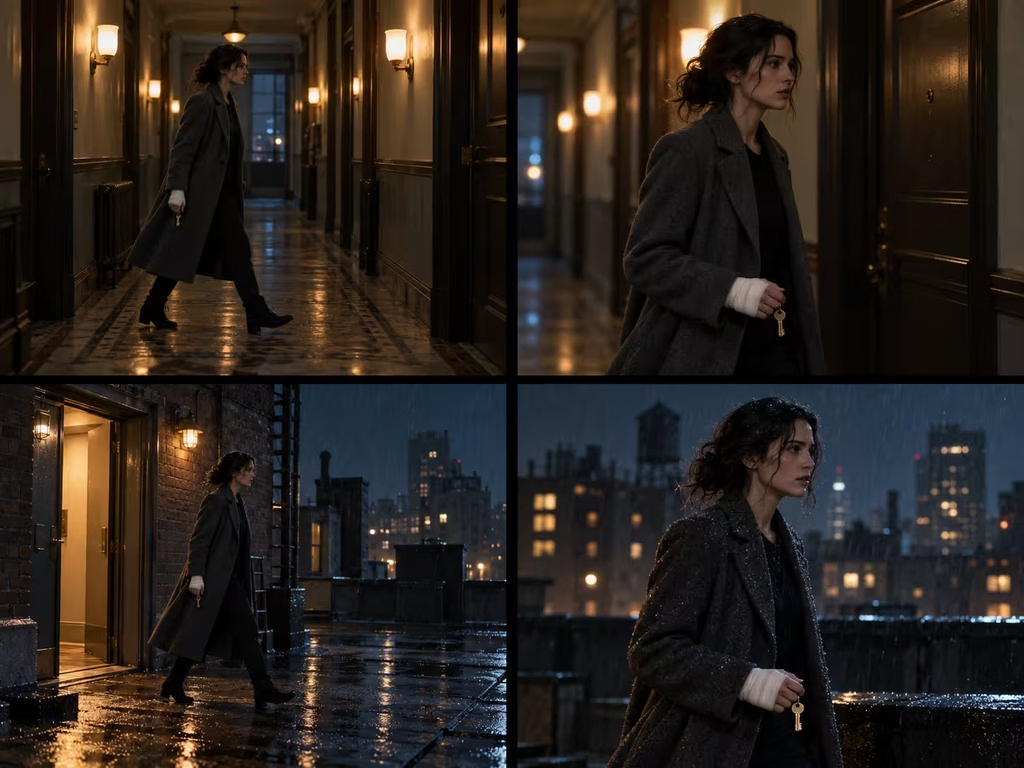
Continuity is the discipline that turns isolated generations into a film. Keep a small continuity ledger for every recurring character, location, and hero prop. Record what changed, what must not change, and what is intentionally unknown. Prompts can reinforce the ledger, but the ledger remains the source of truth.
Continuity locked shot template
“`text Use the continuity bible for {project or sequence}. Preserve character {name}: {identity markers and costume}. Preserve location {name}: {architecture, dominant materials, window or entrance position, and practical sources}. Preserve prop {name}: {size, color, condition, and current hand or surface}. This shot occurs {before or after prior shot} and the state is {wet, dry, damaged, open, closed, lit, empty, or other}. Camera changes only to {specified change}. Light changes only because {story reason}. Match screen direction, scale, and palette. Flag any detail that cannot be preserved rather than inventing a replacement. “`
Sequence bridge template
“`text Bridge two shots in a coherent sequence. Shot A ends with {ending composition and action}. Shot B begins with {new composition and action}. Preserve {character identity, prop state, location geometry, screen direction, light direction, and weather}. The transition is motivated by {movement, sound, match cut, gaze, or time passage}. Show one clear visual connection between the shots: {specific connection}. Do not reset the set, costume, camera axis, or object position without a stated story reason. “`
Continuity audit template
“`text Audit this generated frame against the continuity notes. Check: character identity, hair and costume, hand and prop position, injuries or dirt, time of day, weather, architecture, practical light direction, screen direction, scale, and background extras. List only visible mismatches, with a severity of critical, moderate, or minor. Do not propose aesthetic changes unless they create a continuity problem. If no mismatch is visible, state that the frame is consistent with the supplied notes. “`
When a model cannot preserve a detail, do not hide the problem with more adjectives. Regenerate with a shorter prompt that repeats the exact identity marker and the exact prop state. You can also crop, edit, composite, or use a reference workflow when the project allows it. Continuity is often solved through a combination of generation and postproduction.
Prompting for revisions and troubleshooting
A revision prompt should identify the defect, preserve the successful decisions, and request a bounded change. “Make it better” discards useful information. “Keep the composition, subject identity, and window light, but move the left hand onto the handle and remove the duplicate key” is actionable.
Targeted revision template
“`text Revise the previous generation. Preserve {successful elements}. Correct only these issues: {visible issue one}, {visible issue two}. Keep the same {camera, composition, location, palette, costume, and time}. The intended result is {short description of correction}. Do not introduce {new objects or style changes}. Return one clean variant for comparison. “`
Diagnostic comparison template
“`text Compare version A and version B for the goal of {story or shot goal}. Evaluate subject readability, composition, identity, action clarity, lighting motivation, spatial continuity, texture, and editability. Identify the strongest choice in each category, then recommend one version or a focused hybrid revision. Use observable evidence, not general praise. “`
Simplification template
“`text Simplify this prompt while preserving the following nonnegotiable facts: {facts}. Remove decorative adjectives and duplicate instructions. Keep only details that control subject, action, setting, camera, light, motion, and continuity. Return a concise production prompt plus a separate exclusion list containing no more than {number} items. “`
Simplification is especially useful after several rounds of revisions. Prompts often accumulate contradictory instructions. If the subject is meant to be still but the camera is meant to race, decide which movement matters. If the scene is both low contrast and deep black, clarify whether the shadows should be soft or dense.
A practical workflow from idea to finished sequence
Begin with a one sentence dramatic intention. Write what the audience should understand or feel at the end of the shot. Then create a master prompt with only the story and world layers. Generate several compositions. Select the frame that communicates the beat most clearly, even if its surface is not yet perfect.
Next, lock the character and environment records. Extract stable identity markers from the selected design and put them in a continuity note. Do the same for the location and hero props. Generate reference views before asking for complex action. This creates a visual target for later prompts.
Add camera language after the blocking is clear. Decide whether the shot observes, follows, reveals, isolates, or confronts the subject. Then add motivated lighting. The light should tell the viewer where the scene is, what time it is, and what deserves attention.
For video, describe a starting state and an ending state. Limit the clip to a readable action. If the sequence requires multiple actions, generate them as separate shots and connect them in the edit. This approach gives you more control over pacing and makes continuity errors easier to isolate.
Plan sound beside the image. List the sound that belongs to the space, the sound created by the action, and the sound that changes the audience’s interpretation. Leave intentional gaps. Silence can be a structural choice, especially before a reveal or after a sudden interruption.
Finally, audit the sequence. Check face, costume, props, architecture, light, weather, direction, and scale. Watch the clips in order rather than judging each generation alone. A frame can look excellent in isolation and still damage the sequence if it reverses a hand, moves a doorway, or changes the time of day.
A compact checklist
Before generating:
– Can the subject and action be described in one sentence? – What must remain consistent with earlier shots? – What is the camera trying to reveal or conceal? – What motivates the key light? – Which sound deserves foreground attention?
After generating:
– Is the story beat immediately readable? – Does the subject retain the intended identity? – Are hands, props, and contact believable? – Does the space match the established layout? – Does motion begin and end in a useful state? – Does the sound brief respect perspective and silence? – Is the frame useful for an edit, not only attractive as a still?
Closing note
The value of a prompt template is not the wording alone. It is the repeatable decision process behind the wording. State the dramatic fact, define the physical world, choose a camera that supports the beat, motivate the light, describe visible motion, plan the sound, and protect continuity. Then revise one variable at a time.
A reliable library grows from finished attempts. Save the prompt, reference image, chosen output, rejected output, and reason for the decision. Over time, the project develops its own vocabulary for faces, spaces, lenses, light, movement, and sound. That vocabulary is more valuable than a collection of fashionable descriptors because it belongs to the story you are making.
Continue reading
Further insights from the Journal
Have a story in mind?
Bring your next project into focus.
Tell us what you are creating and what you want the audience to feel.