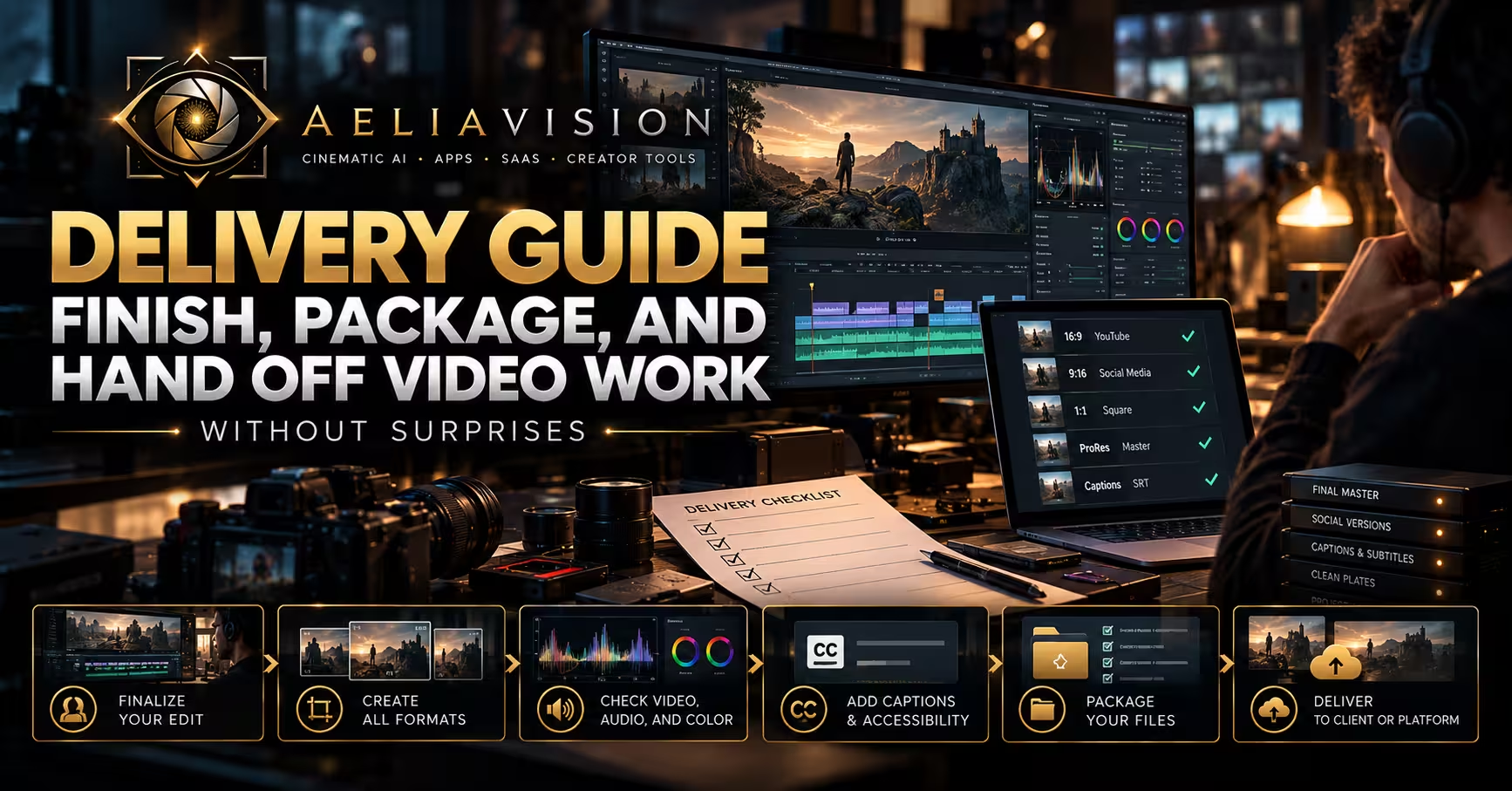
The story in brief
A practical guide to delivery in a production pipeline, covering master files, client handoff, platform versions, archives, approvals, and quality checks.
Inside this story
Delivery is the part of a production where every earlier decision becomes visible. A weak file name, an unchecked subtitle, a wrong audio mapping, or a missing social version can undo a lot of otherwise good work. The audience will not know whether the problem started in preproduction, on set, or during the final export. They will only see a film that feels unfinished.
That is why delivery should be treated as a working stage of the production pipeline, not the last button pressed in an editing application. It has its own inputs, checks, owners, deadlines, and records. The job is to turn approved creative work into the exact files that a client, platform, broadcaster, distributor, or internal team can use without guesswork.
For a small team, that may mean one editor exporting a 60-second master, a vertical cut, captions, and a review file. For a campaign, it may involve dozens of aspect ratios, localized text versions, clean plates, audio mixes, legal approvals, and a long-term archive. The scale changes, but the discipline does not. You need to know what is being delivered, who has approved it, how it was checked, and where the final source files live.
Treat delivery as a specification, not a vague deadline
“Final video by Friday” is not a delivery brief. It gives an editor a date but no definition of done. A usable specification names the deliverables, technical requirements, approval path, and receiving method.
Start with the audience and destination. A 16:9 YouTube upload, a 9:16 paid social placement, a trade-show screen, a cinema package, and a broadcaster master may all originate from the same edit, yet each has different technical and editorial needs. Platform requirements change, so confirm them from the platform or distributor rather than relying on an old export preset.
Then write the delivery matrix. This can be a spreadsheet, project-management table, or a page in the production brief. Each row represents one actual file or asset group. Include the following information:
– Deliverable name and internal ID. – Destination, such as client review, Instagram Reels, YouTube, a media buyer, or a broadcaster. – Runtime and version language. – Frame size, aspect ratio, frame rate, and scan type where relevant. – Required codec, container, bitrate, and audio configuration. – Caption, subtitle, transcript, audio-description, or accessibility requirement. – Whether the file includes graphics, legal copy, music, end card, or burned-in timecode. – Owner for creative approval and owner for technical approval. – Due date, status, and final storage location.
The matrix prevents a common problem: people speak about “the master” as if there is only one. There may be a high-resolution archival master, a platform upload file, a client review file, a textless version, a clean version without graphics, and a compressed preview. They are related, but they are not interchangeable. Calling all of them final makes it easy to send the wrong one.
Keep content requirements separate from delivery requirements. “Show the product within the first three seconds” is a creative or media requirement. “H.264 MP4 at 1080 by 1920 with stereo AAC audio” is a delivery requirement. Both belong in the matrix, but the people checking them may be different.
A naming convention also belongs in the specification. Use names that sort logically and reveal the file’s purpose. For example:
`Northstar_SpringLaunch_30s_Master_16x9_EN_v07_20260830.mp4`
That file name tells a recipient more than `final_final_new.mp4`. Avoid spaces if the receiving system is fragile, avoid unexplained abbreviations, and reserve a term such as `MASTER` for the approved source export. If a version changes after approval, increment the version and record what changed. Do not quietly overwrite a client file and assume everybody will notice.
Build a delivery plan before picture lock
Delivery becomes expensive when it is introduced after the edit has been built around a single frame. If a campaign needs horizontal, square, and vertical outputs, editors and directors need to know early enough to shoot, cut, and design for them.
At the production stage, identify anything that may need a separate capture or layout: centered action for vertical crops, extra clean background for copy, alternative product framing, a clean end frame, textless plates, language-neutral performance, or a version with no licensed music. A horizontal hero film can sometimes crop into a vertical placement, but it cannot manufacture missing headroom or an off-frame product.
During the edit, create sequences or timelines that match the intended outputs. Do not simply change the sequence dimensions at the end and hope for the best. Review each format as its own composition. On a phone, subtitles compete with platform controls and hands. On a large screen, small legal text may become readable while a compression artifact that looked harmless on a laptop becomes obvious.
Set milestones that distinguish exploration from approval. A sensible flow may include an internal assembly, client rough cut, picture lock, graphics lock, sound lock, final master approval, and delivery. The labels matter less than the rule behind them: once a stage is locked, any change must be named, assessed, and tracked. A late logo change might also affect subtitle timing, sound mix duration, end-card legal review, localized versions, and every aspect ratio.
Picture lock is often misunderstood. It does not mean nobody can touch the project file. It means the timing and editorial structure of the approved version will not change without reopening the approval process. Color, sound, graphics, conform, and captions can then finish against a stable timeline. If picture keeps moving after those departments begin, errors multiply quickly.
Make the lock visible. Put the approved reference file in a clearly labeled folder, include its exact runtime and timecode start, and identify it in the delivery tracker. If the project uses a timecode slate or a review platform, preserve the reference there as well. A mixer, colorist, and motion designer should never have to infer which cut is current from a folder full of exports.

Prepare the timeline for finishing
Before you send work to color, sound, visual effects, or graphics, clean the edit. This is not cosmetic housekeeping. A tidy timeline reduces the risk of missing media, accidental temp assets, incorrect handles, and ambiguous instructions.
Remove unused versions from active tracks. Label the tracks consistently. Separate dialogue, music, effects, voiceover, graphics, adjustment layers, guide audio, and temporary references. If the editor used a watermarked preview, an offline screen capture, or a placeholder logo during the cut, make it obvious. These assets should never be able to slip into a final export unnoticed.
Confirm that the edit conforms to the intended source media. Proxy workflows are useful, but the final export must point to full-resolution camera originals or approved high-quality transcodes. Check for offline clips, proxy badges, relink warnings, mismatched frame rates, and retimed footage. A proxy can look acceptable in a small review link and fail badly in a 4K master.
Use handles when sending material to specialists. Handles are extra frames before and after an edit point. They let a colorist blend a correction across a cut, a sound editor smooth an audio transition, or a VFX artist adjust timing without asking for a new export. The required handle length depends on the work, but it should be stated. Do not send a clipped shot with no room to work and expect a seamless result.
Create a change list when possible. If the current picture differs from an earlier version already used for sound or color, list the changes with timecode, old duration, new duration, and impact. “A few small changes” is not useful. A one-second trim before a music hit can affect the whole cue. A revised line can shift every subtitle after it.
Graphics deserve their own preflight. Check brand colors, approved logos, typefaces, legal copy, spelling, date formats, product claims, and regional variations. If a graphic contains a website, QR code, price, offer date, or legal disclaimer, verify it against the approved source rather than an earlier design file. Small text is especially prone to mistakes because people view it at 200 percent while building it and then forget to check the actual delivery size.
A clean project structure makes these checks easier. Keep source media, project files, graphics, audio, exports, review links, and delivery packages in predictable locations. Use read-only or locked folders for approved masters if the team has the infrastructure. The goal is simple: a person joining late should be able to find the approved cut and its supporting materials without calling five people.
Finish color, sound, graphics, and captions against a single reference
The final image is more than a color grade. It is the combined result of picture, graphics, effects, and compression. Review these departments together near the end, because each can introduce a problem that was not present in isolation.
For color, begin with technical consistency. Match camera sources, correct exposure and white balance where needed, check skin tones, and confirm that contrast holds in the intended viewing environment. A creative look should support the piece, but a campaign often also needs consistency across its versions. A product that shifts color between a 16:9 master and a vertical cut can cause trouble for a brand team.
Choose and document the color pipeline. If delivery needs a standard dynamic range version and a high dynamic range version, they should not be accidental variations from the same export setting. Confirm the color space, display transform, gamma, data levels, and monitoring conditions. If you are handing work to a finishing house, provide the project, reference export, color notes, and clear expectations for each master.
Sound should be checked for intelligibility before it is judged for style. Dialogue must remain understandable over music and effects. Listen for clicks, edits, clipping, room changes, hum, lip-sync errors, abrupt fades, and music that starts or ends without intention. Review on accurate speakers or headphones, then perform a practical listener check on a phone, laptop, and consumer speaker where appropriate. Those devices do not replace proper monitoring, but they expose issues that an audience may hear.
Loudness and peak requirements depend on the receiving platform. A broadcaster, cinema distributor, advertiser, and social platform may specify different targets. Do not guess the target from memory. Obtain the current specification, measure the completed mix with appropriate tools, and retain the report if the client or distributor requires it. A file can sound fine in an editing suite and still be rejected for technical noncompliance.
Captions are part of the content, not a courtesy added later. Create them from a verified transcript, then review them against the actual picture and sound. Check names, product terms, punctuation, timing, speaker changes, reading speed, line breaks, and on-screen placement. If burned-in captions are required, make sure they do not cover important graphics, faces, platform controls, or legal copy. If a separate caption file is required, test it in the destination platform or a compatible player.
Subtitles for translation need a separate review. A direct translation may be too long for the available reading time or may collide with on-screen text. Ask the translator or localization lead to work from the locked reference and a timecoded script. Never assume that replacing words inside an existing subtitle file is enough.
Accessibility can also include audio description, sign-language versions, high-contrast graphics, and transcripts. Treat those outputs as explicit deliverables with their own review status. If they are requested after picture lock, budget time for them rather than treating them as a fast export.

Run quality control in passes, not as one distracted watch
Quality control, often shortened to QC, is a deliberate inspection of the finished asset. It is tempting to watch the final video once while answering messages and call that done. That approach misses predictable errors because the brain follows the story and fills in what it expects to see.
Use separate passes. Each pass should have a purpose and a record. A production may not need a broadcast-facility QC report for every internal video, but it still benefits from a consistent checklist.
The editorial pass asks whether the story is the approved story. Compare the final export against the approved reference. Check runtime, opening frame, end card, music choice, logo appearance, legal copy, product names, supers, call to action, and required messages. Watch the first and last five seconds especially carefully. They are frequent sites of accidental changes and are usually the most important media-buying frames.
The picture pass looks for technical image faults. Watch at normal speed, then inspect suspicious sections frame by frame. Check for flash frames, black frames, frozen frames, media offline slates, unrendered effects, wrong aspect ratio, bad crops, interlacing problems, dropped frames, aliasing, banding, compression artifacts, color shifts, and visible unwanted reflections. If the project includes VFX, compare the final composite with the approved version and verify that tracking, masking, cleanup, shadows, and motion blur hold up.
The audio pass should begin with eyes off the screen. That helps you hear problems that picture can disguise. Listen for dialogue clarity, channel assignment, phase issues, excessive noise reduction, music edits, sudden level changes, clipped peaks, and silence where room tone should sit. Then watch again to check sync. A line that is a few frames late can feel wrong even when it is hard to measure by eye.
The text and accessibility pass checks every visible word and every caption. Do not rely on spellcheck. Brand names, location names, dates, prices, URLs, rights lines, and disclaimers often pass spellcheck while still being incorrect. Pause on each text card at delivered size. Confirm that required captions exist in the correct language and that the caption file matches the picture version.
The platform pass examines the actual target. Upload a private test when the platform and schedule allow it. Check how the image is cropped, how compression treats gradients and fine detail, whether captions load, whether the thumbnail is acceptable, and whether a viewer can read important text on a phone. A master can be technically correct but suffer after a platform transcode.
Document defects with enough detail to fix them. Include file name, timecode, issue, severity, owner, and resolution. “Audio weird at the end” creates a hunt. “01:27:14 to 01:28:02, music dip cuts abruptly before logo; rebuild fade and re-export” gives the editor a clear task.
Use severity labels that the team understands. A critical issue blocks delivery because it violates a specification or changes meaning. A major issue should be fixed before delivery because it is plainly visible or audible. A minor issue may be acceptable if time is limited and the approving owner accepts it. Record the decision. Silent compromises return later as arguments about who approved what.
After a correction, recheck the corrected area and the transitions around it. Then confirm the export itself. A fixed timeline does not guarantee a fixed file if the wrong sequence, work area, or preset was used.
Export masters deliberately
An export preset is a starting point, not proof that an output is correct. Before you queue a master, inspect the sequence settings and export settings against the delivery matrix.
Confirm frame dimensions and pixel aspect ratio. Confirm frame rate. Confirm whether the destination expects progressive video or an interlaced format. Confirm codec, profile, bitrate, container, audio sample rate, channel count, and codec. For high-resolution masters, confirm whether the client expects an edit-friendly mezzanine codec, an image sequence, or another specified format. For web files, confirm the platform’s current upload guidance.
Keep the archival master distinct from distribution encodes. An archival or mezzanine master is intended to preserve quality for future versions. A distribution file is optimized for a platform, file-size limit, or transmission system. Re-encoding a heavily compressed social file to make a new master does not restore quality. Preserve the best approved source you can reasonably store.
Render high-risk work before final export. Complex effects, third-party plugins, motion graphics, and dynamically linked compositions may fail during a long encode even if they looked correct in preview. A controlled render can expose missing fonts, cache errors, expired licenses, or frames that do not match the timeline.
When practical, export a short test section first. Choose a section with difficult material: gradients, fast movement, detailed textures, small type, captions, VFX, and a music transition. Inspect it in the intended player. This is faster than discovering a codec or color issue after a two-hour export.
Once a master is created, validate the actual file. Open it in a dependable player, examine its metadata with a media-inspection tool, and compare runtime, dimensions, frame rate, codec, audio layout, and file size against the specification. A file extension does not prove its contents. An `.mp4` can contain many different video and audio combinations.
Checksums are useful for large or high-value deliveries. A checksum is a calculated fingerprint of a file. If the sender and recipient compare matching checksums after transfer, they have evidence that the file arrived unchanged. Common algorithms include MD5 and SHA-256, but follow the receiving organization’s requirement. A checksum does not replace visual QC, yet it catches transfer corruption that a file name cannot reveal.
Avoid making the client download a folder of experiments. Deliver only approved files in the final package. Keep alternate exports, failed renders, temporary review versions, and project caches outside the delivery folder. The recipient should be able to open the package and understand it in one minute.

Package the handoff so recipients can use it immediately
A delivery package is a small piece of communication design. It should reduce questions rather than generate them.
Create a top-level folder with a clear project and delivery date. Inside, group files by purpose. A simple structure might use folders for `01_Masters`, `02_Platform_Versions`, `03_Captions`, `04_Stills`, `05_Documentation`, and `06_Project_Archive` where the archive is part of the agreed handoff. Numbering is optional, but it can keep the order stable across operating systems.
Include a readme file. It does not need to be long. State the project name, delivery date, primary contact, file inventory, intended use, runtime, captions supplied, known restrictions, and checksum information if provided. If a client needs to publish a video, tell them which file is the recommended upload file. Do not make them choose among three nearly identical H.264 exports.
Include an asset manifest for larger deliveries. The manifest is a list of files with names, descriptions, technical properties, versions, and checksums. It is useful when a media buyer, archive manager, or downstream editor receives a package months later.
Use a transfer method appropriate to the file size and recipient. Cloud storage, review platforms, managed file-transfer systems, physical drives, and broadcast delivery portals all have different strengths. Confirm upload limits, expiration policies, permission settings, and whether the recipient can resume a failed download. A shared link that expires before the client downloads it is not a completed delivery.
Send the handoff message to the people who need it, not only the person who asked for it. Keep it concise and factual. Identify the final package, list the important assets, name the storage location or link, state any action required, and ask for receipt confirmation where it matters. If the receiver must approve technical delivery, distinguish that confirmation from creative approval.
A clean version deserves special attention. It may mean a version without titles, end cards, graphics, subtitles, legal copy, or music, but the term means different things to different clients. Define it in the delivery matrix. If a client wants an international master for localization, they may need textless picture, separate music and effects stems, and a dialogue-free version. Sending a file called `clean` without explanation creates a risk that becomes visible only when another team tries to use it.
Project-file handoff needs the same care. If you are transferring an editable project, include the correct project file, linked media or a collected project package, fonts where licensing permits, graphics source files, audio stems, plugin notes, and instructions for relinking. State the application and version used. An edit project without its media is often an expensive promise rather than a usable deliverable.
Handle approvals and late changes without losing control
Delivery is not complete when a link is sent. It is complete when the agreed recipient has received the agreed assets and the handoff status is recorded. In some workflows, that also requires a client sign-off, platform acceptance, or broadcaster technical approval.
Maintain a single approval record. It can live in a review platform, project tracker, email thread, or formal sign-off document, but everyone should know where the current decision lives. Record the version approved, approver, date, and any conditions. A verbal “looks good” in a call is weak evidence if a different file is later uploaded.
Late changes should trigger impact assessment. First, describe the exact change. Then identify which files, captions, translations, sound mixes, legal reviews, graphics, and aspect ratios it affects. Estimate the time and cost. Assign an owner to approve the scope. This is not bureaucracy for its own sake. It stops a one-word end-card update from silently creating ten inconsistent deliverables.
When a change is approved, create a new version. Preserve the prior approved file unless a legal or rights issue requires it to be removed. Update the delivery tracker, filename, manifest, and readme. Re-run QC on the changed sections and any linked areas. If the runtime changes, check captions, audio fades, end cards, slate, and platform metadata again.
If the client asks for a new asset that was not in the original matrix, treat it as a new deliverable. You may be able to create it quickly, but name it, specify it, and log it. That record helps the next project estimate real requirements instead of pretending the work appeared from nowhere.
Archive the work while it is still understandable
An archive is not a pile of old drives. It is a preserved set of source materials that somebody can locate, open, and trust later.
At minimum, retain the approved masters, project file, delivery matrix, final graphics, caption files, audio masters or stems if available, approval record, and a readme that explains the project. For work likely to be revised, also retain camera originals or consolidated high-quality media, color project files, VFX elements, licenses, releases, and music cue information according to the agreed retention policy.
Document rights and restrictions. A beautiful film may not be reusable because a location, performer, music track, stock asset, or product claim was cleared only for a specific territory or time period. Put rights notes in the archive where a future producer can find them. Do not bury them in a long email chain.
Use more than one copy for important material. A practical rule is to keep copies on separate storage systems and, when possible, in separate physical locations. The exact backup strategy depends on budget and security needs, but one external drive in one office is not resilient. Periodically test the archive by opening files and checking that the storage remains accessible.
Archive folders should preserve context. A future editor needs to know which master was approved, not merely which file is largest. Use a stable structure and avoid deleting documentation after delivery. The ten minutes spent writing a clear readme can save days when a client returns two years later asking for a vertical update.

A practical final delivery checklist
Use this checklist after the final export and before the handoff. Adapt it to the project, but do not skip items merely because the deadline is close.
Creative and legal
– The file matches the approved cut and approved runtime. – Product names, logos, claims, URLs, dates, prices, and legal lines match current approvals. – Required end cards, calls to action, rating cards, and sponsor messages are present. – Music, stock, talent, location, and graphic usage matches the agreed rights scope. – Every required language and regional version is included and named clearly.
Picture and sound
– Frame size, aspect ratio, frame rate, codec, and container match the delivery matrix. – Image has no offline media, flash frames, unintended black frames, wrong crops, or unrendered effects. – Color looks correct in the agreed color pipeline. – Audio channels map correctly, dialogue is intelligible, and loudness meets the destination requirement. – Sync is correct and no audio starts, ends, or changes abruptly.
Text and accessibility
– Captions have been checked against the final picture and audio. – Caption files are the required format and match the correct language version. – Burned-in subtitles and legal text are readable at target size and do not obscure key content. – Transcript, audio description, or other required accessibility assets are present.
Files and handoff
– File names follow the agreed convention. – The delivered master was opened and inspected after export. – Metadata was checked with a media-inspection tool. – Checksum files or an asset manifest are included if required. – The final package contains approved assets only. – The readme identifies the recommended files and any known restrictions. – Transfer permissions and expiration settings have been checked. – Receipt and approval status are recorded in the tracker.
Delivery is usually quiet when the preparation has been good. The client receives a package that makes sense. The platform accepts the upload. The editor can find the source files later. That outcome comes from a production team deciding early that finishing, technical validation, and handoff are real parts of the craft.
The final export still matters, of course. It is the file the audience sees. But the stronger habit is to build a delivery system around it: define the outputs, lock the reference, check the work in focused passes, validate the actual files, communicate clearly, and archive the context. That is how a finished edit becomes a dependable production deliverable.
Continue reading
Further insights from the Journal


Have a story in mind?
Bring your next project into focus.
Tell us what you are creating and what you want the audience to feel.